Tag: user experience

  • Quick Fixes to Decrease Bounce Rate and Boost Engagement

    Quick Fixes to Decrease Bounce Rate and Boost Engagement

    Before you can decrease your bounce rate, you have to get to the root of what it’s really telling you. At its core, a high bounce rate signals a disconnect. It means a visitor landed on your page, took one look, and decided “nope, not for me” before clicking anything else. The fix isn’t about gaming a metric; it’s about closing that gap between what they expected and what you delivered.

    What a High Bounce Rate Really Tells You
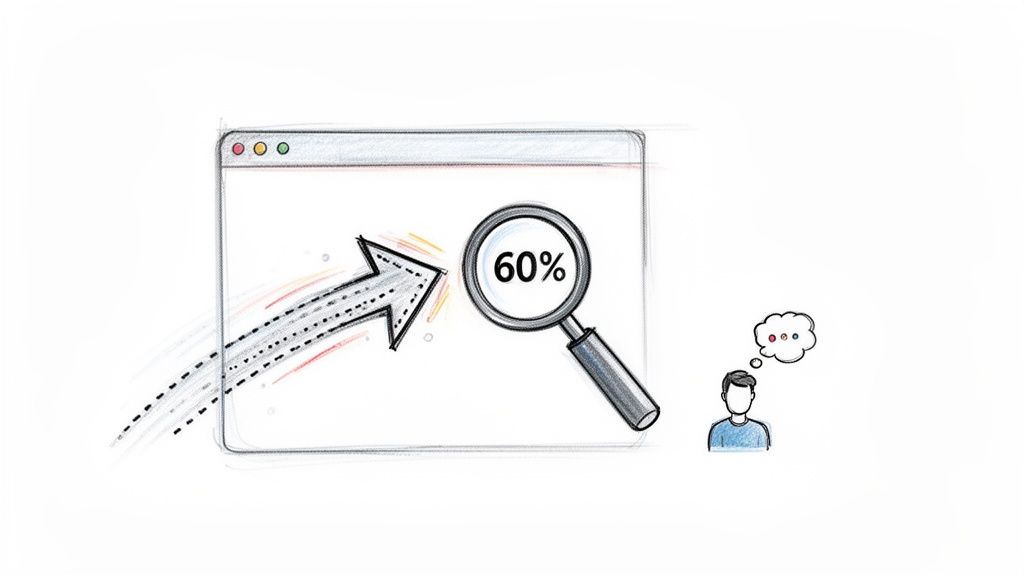
    An illustration of a web browser, a 60% metric under a magnifying glass, and a person analyzing website performance.

    That spike in your bounce rate can be jarring, but don’t panic. Think of it as direct, unfiltered feedback from your audience. It’s a story about their first impression, their intent, and whether your page delivered on its promise. Before you rush into a redesign, let’s decode what that number is actually saying.

    A bounce is basically a one-and-done visit. Someone arrives, and they leave without a single click or interaction. Google Analytics 4 now calls this an “unengaged session,” which is a perfect description. The visit was short, and they didn’t explore, convert, or do anything meaningful. It’s a clear sign that the initial experience missed the mark.

    Bounce Rate vs. Exit Rate: What’s the Difference?

    It’s super common to mix these two up, but they measure very different behaviors. The exit rate tells you the percentage of people who left your site from a specific page, but it includes everyone—even those who visited ten other pages first.

    On the other hand, the bounce rate only tracks visitors who left after viewing a single page.

    Here’s an easy way to remember it: every bounce is an exit, but not every exit is a bounce. A high exit rate on your “thank you for your purchase” page is perfectly fine. A high bounce rate on your homepage? That’s a problem we need to fix.

    Why Do People Bounce in the First Place?

    Visitors don’t bounce for no reason. It’s a snap judgment. They’ve decided in a matter of seconds that your page isn’t worth their time. Figuring out the “why” is the first real step toward a solution.

    Usually, it comes down to one of these culprits:

    • You Didn’t Meet Expectations: The search result, ad, or social media post promised one thing, but the landing page delivered something else. It’s an unintentional bait-and-switch that instantly breaks trust.
    • The User Experience (UX) is a Mess: Is the page cluttered? Is the navigation a puzzle? If people can’t find what they’re looking for immediately, they’re gone. They won’t stick around to solve your maze.
    • Your Page is Too Slow: We’re all impatient. A delay of even one or two seconds is more than enough to send someone reaching for the back button. Page speed isn’t a “nice-to-have”—it’s a fundamental part of the user experience.
    • Something is Broken: A 404 error, a layout that’s a mess on mobile, or an obnoxious pop-up that won’t close can send visitors running.

    A high bounce rate isn’t just a number to lower; it’s a symptom of a deeper problem. It means people showed up, but you didn’t give them a good enough reason to stick around. The real goal is to fix the underlying experience that’s causing them to leave.

    Is Your Bounce Rate Actually Too High?

    Context is everything. A “high” bounce rate can mean very different things depending on the page and the industry. For example, a blog post that perfectly answers a specific question might have a high bounce rate, and that’s okay! The visitor found what they needed and left satisfied.

    To know if you have a problem, you need to compare your numbers to relevant benchmarks.

    Bounce Rate Benchmarks by Industry

    This table gives you a quick look at what’s considered “average” across different industries, so you can see how your site stacks up.

    Website TypeAverage Bounce RateConsidered Excellent
    E-commerce47%Under 30%
    SaaS50%Under 35%
    B2B55%Under 40%
    Content/Blog65%Under 50%
    Landing Pages70-90%Under 60%

    E-commerce sites, for instance, sit around 47% on average. But there’s good news: recent data shows that rate dropped to just 36.48% in April 2024, which is a 19.60% improvement from the year before. This tells us that online stores are getting much better at engaging shoppers right away.

    Globally, the average bounce rate for most websites is somewhere between 41% and 55%, with a broad average of 49%. You can dig into more detailed average website bounce rate benchmarks to get a clearer picture of where you stand. Remember, these are just guidelines—your own historical data is your most important benchmark.

    Pinpointing Why Your Visitors Are Bouncing
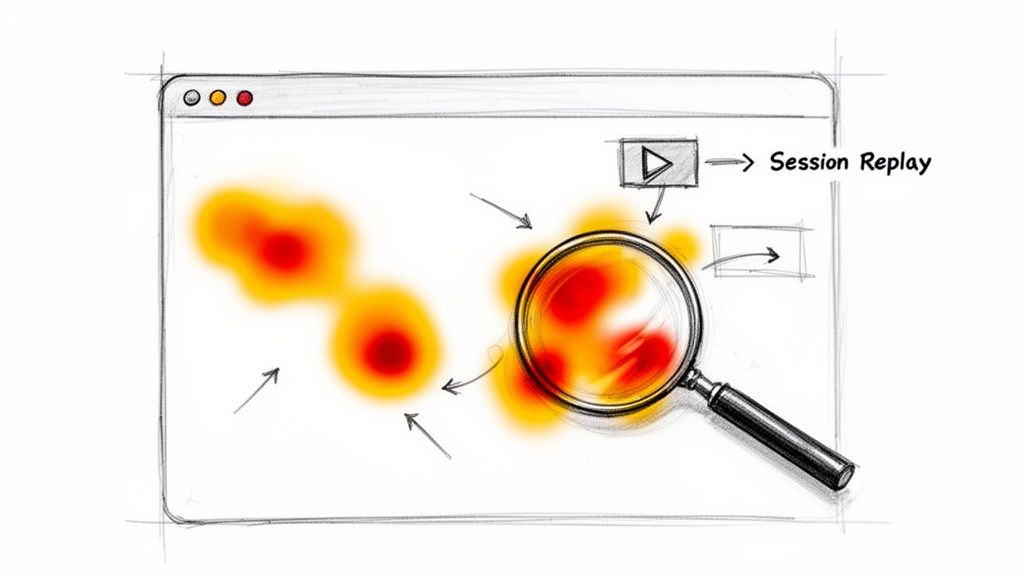
    A sketch of a browser window displaying a heat map, with a magnifying glass examining user activity, and a 'Session Replay' icon.

    Jumping straight into solutions without knowing the root cause is a recipe for wasted effort. It’s like trying to fix a mysterious rattle in your car by randomly tightening bolts—you might get lucky, but you’ll probably just spin your wheels. To actually decrease your bounce rate, you need to put on your detective hat and find the real friction points sending visitors away.

    This whole process starts with data, not guesswork. By pairing your analytics with user behavior tools, you can get a crystal-clear, evidence-based picture of what’s going wrong and, crucially, where it’s happening. This lets you focus your energy on the pages with the biggest problems, ensuring your fixes deliver the biggest impact.

    Start with a High-Level Analytics Audit

    Your first stop should always be your analytics platform, which for most of us is Google Analytics 4 (GA4). The goal here isn’t to get lost in every single metric, but to identify the pages that are bleeding the most visitors. Think of it as creating a “most wanted” list for your underperforming pages.

    It’s a pretty straightforward process:

    1. Head to the “Pages and screens” Report in GA4 (you’ll find it under Reports > Engagement).
    2. GA4 focuses on engagement rate, so you’ll likely need to add the bounce rate metric yourself. Just customize the report by clicking the pencil icon, finding “Metrics,” and adding “Bounce rate” to your view.
    3. Click the “Bounce rate” column header to sort your pages from highest to lowest.

    What you’ll have is a prioritized list of problem areas. The key is to look for pages with both a high bounce rate and significant traffic. A blog post with a 90% bounce rate and ten visitors isn’t your priority. A core landing page with a 75% bounce rate and thousands of visitors? That’s a five-alarm fire.

    Your analytics platform tells you what is happening—which specific pages are failing. The next step is to figure out why.

    Uncover the “Why” with Behavior Analytics Tools

    Once you’ve identified your problem pages in GA4, it’s time to zoom in for a closer look. This is where behavior analytics tools like Hotjar, Crazy Egg, or Microsoft Clarity become absolute game-changers. They give you visual data that lets you see your website through your visitors’ eyes.

    Heatmaps Reveal What Users See and Ignore

    Heatmaps are one of the most powerful tools in your diagnostic kit. They create a visual overlay on your page showing where people click, how they move their mouse, and—most importantly—how far they scroll.

    • Click Maps: Are people furiously clicking on an image that isn’t a link? That’s a classic sign of a frustrating design flaw.
    • Scroll Maps: Is your main call-to-action buried so far down the page that most people never see it? A scroll map will show a sharp color change from hot (red) to cold (blue) right at the point where visitors lose interest and bail.

    I’ve seen scroll maps reveal that 85% of visitors on a high-traffic blog post never made it past the first two paragraphs. That’s an immediate, actionable insight: the intro just isn’t hooking the reader.

    Session Replays Show the Full Story

    If heatmaps are the X-ray, session replays are the full-motion video. These tools provide anonymized recordings of actual user sessions, letting you watch exactly how someone interacts with your site. It’s the closest you can get to sitting next to them as they browse.

    Watching these can be eye-opening (and sometimes a little painful). You’ll see real people:

    • “Rage clicking” a broken button.
    • Wiggling their mouse in confusion because the navigation isn’t clear.
    • Hitting a layout bug on a specific mobile device you never even tested for.
    • Trying to fill out a form, getting stuck on a confusing field, and just giving up.

    When you combine the “what” from GA4 with the “why” from heatmaps and session replays, you’re no longer working with abstract numbers. You’ve moved on to fixing the real, human problems that are hurting your site’s performance.

    How Page Speed Directly Impacts Your Bounce Rate
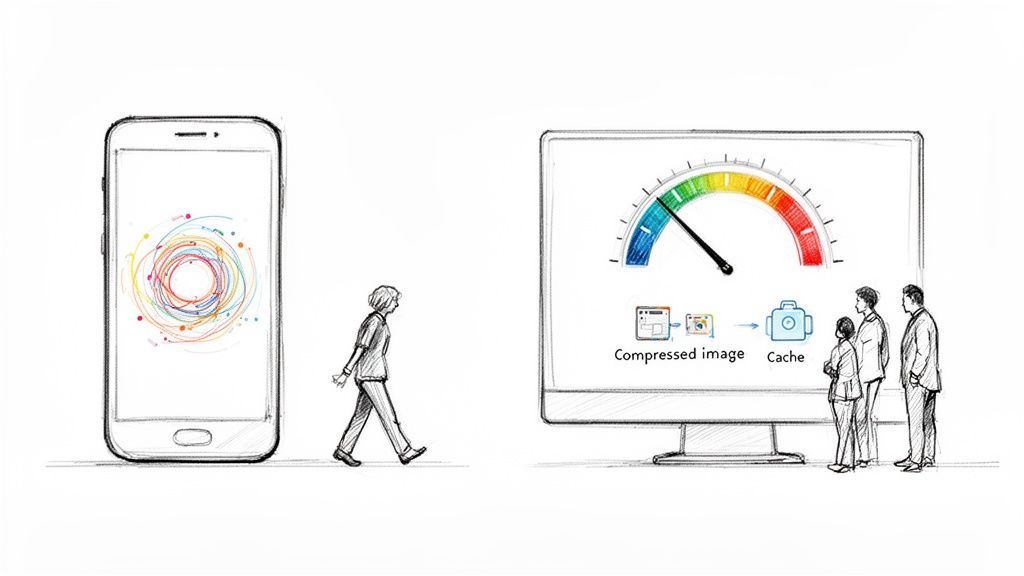
    Sketch of smartphone, person, and monitor displaying web performance with speed gauge, compressed images, and caching.

    We live in a world of instant gratification, and your website’s load time is the very first impression you make. If that first interaction is a slow, clunky experience, visitors are gone before you can even say hello. Every fraction of a second matters, and a sluggish page is one of the surest ways to send your bounce rate through the roof.

    The connection between speed and abandonment is brutal and direct. Research has shown that when page load time climbs from 1 to 10 seconds, the chance of a visitor bouncing skyrockets by a massive 123%. Think about that—a ten-second load time more than doubles the abandonment rate of a one-second site.

    And it gets worse. Over 83% of people expect a page to load in three seconds or less. This isn’t just about impatience; a slow site feels unprofessional and untrustworthy, killing a visitor’s confidence before they’ve even read your headline.

    The Mobile Speed Imperative

    This problem gets amplified on mobile devices. A user on the go might be dealing with a spotty connection and has even less patience for a delay. If your site isn’t built for a snappy mobile experience, you’re cutting off a huge chunk of your audience and practically inviting them to bounce.

    Put yourself in their shoes: you tap a link looking for a quick answer, only to stare at a blank white screen. That immediate frustration makes the back button the most tempting thing on the screen. A fast mobile site isn’t just a nice-to-have; it’s a non-negotiable part of keeping your bounce rate down.

    A Practical Checklist for Boosting Page Speed

    Improving site speed doesn’t have to be some dark art. By focusing on a few high-impact fixes, you can see huge improvements. The first step is to get a baseline. Run your site through a tool like Google’s PageSpeed Insights to see where the biggest problems lie.

    Once you have your report card, here’s a proven checklist to start with:

    • Compress Your Images: This is the low-hanging fruit. Huge, unoptimized image files are the number one cause of slow pages. Tools like TinyPNG can shrink file sizes dramatically without any noticeable drop in quality, often shaving seconds off your load time.

    • Leverage Browser Caching: Caching tells a visitor’s browser to save static parts of your site, like your logo, CSS, and certain scripts. When they come back or visit another page, their browser doesn’t have to download everything all over again. The result? A near-instant load for returning users.

    • Minify Your Code: Minification strips out unnecessary characters from your site’s code (HTML, CSS, JavaScript), like extra spaces and comments. These characters help developers read the code, but they’re just dead weight to a browser.

    A fast website isn’t a luxury; it’s a fundamental part of a good user experience. Every optimization you make to improve speed is a direct investment in keeping visitors engaged and on your site.

    Understanding Core Web Vitals

    Google cares deeply about page experience, and you should too. The Core Web Vitals are specific metrics Google uses to measure a site’s real-world user experience, zeroing in on loading speed, interactivity, and visual stability. To really get a handle on what makes a great user experience and drives down bounce rates, check out this excellent Core Web Vitals & Page Experience Playbook.

    These aren’t just abstract numbers; they are clear indicators of a quality experience that directly correlates with lower bounce rates. There’s a lot more to dive into on this, and you can learn more about site speed optimization to see just how big of an impact it can have.

    Tuning Your Content and UX to Keep People Hooked

    Even the most amazing content is dead on arrival if it’s wrapped in a frustrating user experience. Once you’ve wrestled with your page speed and won, the next battleground in the war against high bounce rates is the on-page experience itself. It’s all about creating an environment that pulls visitors in, makes your content easy to digest, and subtly guides them deeper into your site.

    Think of it this way: your content is the star of the show, but your site’s design and UX are the theater. If the seats are broken and the sound is muffled, nobody’s sticking around for the second act, no matter how good the performance is.

    Make Your Content Instantly Scannable

    Let’s be honest—people don’t read online anymore. They scan. They’re hunting for a specific answer or piece of information, and if they can’t spot it in seconds, they’re gone. A giant, intimidating wall of text is the fastest way to get someone to hit the back button.

    The trick is to structure your content so the key points practically leap off the screen. You can do this with a few simple formatting moves:

    • Headings That Tell a Story: Use clear, descriptive H2s and H3s to break your content into logical chunks. This gives readers a mental map of the page.
    • Super Short Paragraphs: Keep paragraphs to one to three sentences, max. This creates vital white space, making the whole page feel more approachable and less like a textbook.
    • Strategic Bolding: Make key stats, terms, or takeaways bold. This helps scanners grab the essence of each section without reading every word.
    • Lists for Clarity: Use bulleted or numbered lists to break down steps, features, or complex ideas into bite-sized, easy-to-follow points.

    For a more holistic fix to user experience, it’s often worth the investment in professional web design. A well-designed site has these principles baked in from the start, making your content naturally more engaging.

    Master the Art of Internal Linking

    What is a bounce? A single-page session. The most direct way to stop a bounce is to give your visitors a compelling reason to click through to a second page. This is where a smart internal linking strategy becomes your secret weapon.

    Don’t just drop links randomly. Think of them as helpful signposts guiding a traveler. You’re leading the reader from their entry point to other valuable, relevant content on your site. For example, if you mention a specific product feature in a blog post, link it directly to a case study showing that feature in action.

    A great internal link does more than just offer another click. It anticipates the user’s next question and provides the answer before they even think to ask. This builds trust and keeps them in your orbit, not Google’s.

    The link between engagement and bounce rate is undeniable. A 2023 analysis found a powerful correlation: sites with low bounce rates consistently see visitors clicking through to multiple pages. PayPal.com, for instance, had an incredible 19.5% bounce rate, with visitors averaging 3-4 pages per session—way more than other high-traffic sites.

    Align Your Message from Ad to Landing Page

    This is a simple but critical concept: message matching. It means the promise you make in your Google Ad, social media post, or search result snippet must be instantly fulfilled the moment someone lands on your page. If there’s a disconnect, you break trust, and they bounce.

    Imagine someone clicks an ad promising a “50% Off Spring Sale.” If they land on your homepage and have to hunt around for that sale, they’re going to get annoyed and leave. The landing page needs to scream “50% off” right at the top. This immediately confirms they’re in the right place and that you’ve delivered on your promise.

    Craft Calls-to-Action That Beg to Be Clicked

    Finally, every page on your site needs a purpose. What is the one thing you want the visitor to do next? Your call-to-action (CTA) is the button that gets it done. A weak, generic CTA like “Submit” or “Click Here” isn’t going to inspire anyone to act.

    Your CTA needs to be clear, compelling, and action-oriented. Use strong verbs that communicate the value behind the click. Instead of a vague “Learn More,” try something specific like “See Pricing Plans” or “Download My Free Checklist.” If you’re stuck, our guide on the best call-to-action examples has tons of ideas you can test. By tightening up these elements, you’re not just tweaking a page; you’re creating a seamless journey that turns bounces into engaged visitors.

    Using Attention Hooks to Re-Engage Visitors

    What if you could catch a visitor just as their cursor drifts toward the back button? It’s a critical moment. Instead of passively letting them go, you can proactively re-engage them, turning a potential bounce into a second chance.

    This isn’t about those annoying, full-screen pop-ups that ruin the experience. It’s about smart, timely interventions that grab attention for all the right reasons.

    Imagine someone lands on your product page. They scroll a bit, maybe they’re not quite sold, and their mouse starts to move away. That behavior is a classic sign of exit intent. Just then, a sleek, dynamic notification bar slides into view at the top of the screen. It’s not a boring banner; it’s an attention hook. This one interaction can be the difference between a lost visitor and a new customer.

    The Power of a Pattern Interrupt

    When a visitor decides to leave your site, they’ve shifted into an “exit” mindset. It’s a mental pattern. The most effective way to stop it is with a pattern interrupt—a psychological technique that breaks a person’s current thought process.

    A well-designed attention hook acts as a visual and cognitive jolt. It snaps them out of that “I’m leaving” mode and refocuses their attention on a new, potentially valuable offer.

    This is exactly what tools like LoudBar are built for. Instead of a static banner that’s easy to ignore (a classic case of banner blindness), these notification bars use motion, color, and unique animations to command notice.

    • An e-commerce store could launch a “Rainbow Rave” bar during a flash sale, using vibrant, shifting colors to announce a 20% discount that expires in an hour.
    • A SaaS company might use a “Futuristic Terminal” theme with a cool typing animation to reveal a new feature, linking directly to the release notes.

    The trick is to match the hook’s energy and message to what the user is doing right at that moment. You’re adding value at the precise point they were about to disengage.

    Real-World Scenarios for Bounce Reduction

    Let’s get practical. How can you actually use these hooks to tackle common reasons for bouncing? It all comes down to anticipating a user’s friction point and offering a solution before they give up and leave.

    The goal is to provide a clear, valuable next step that pulls the visitor back in.

    A visitor showing exit intent isn’t a lost cause. They’re often just unpersuaded or momentarily distracted. A timely, relevant attention hook gives you one last chance to make your case and turn a potential bounce into a conversion.

    To see how this works across different industries, check out these examples. They show how a targeted notification bar can address a specific reason a visitor might be leaving.

    LoudBar Use Cases for Reducing Bounce Rate

    Business TypeBounce ScenarioLoudBar Solution
    E-commerceA visitor adds items to their cart but hesitates on the cart page, likely due to shipping costs.Trigger a “Disco Fever” bar with an animated “Free Shipping Unlocked!” message to remove the final barrier to purchase.
    SaaSA potential customer stalls on the pricing page, unsure if they want to commit.Display a “Fireworks” bar announcing a limited-time 14-day extended trial, giving them more time to evaluate without risk.
    Blog/PublisherA reader finishes an article and has nowhere to go next, preparing to close the tab.Show an animated bar offering a related, high-value guide for download in exchange for their email.

    As you can see, these aren't just random pop-ups. They are strategic, behavior-driven responses designed to solve a problem for the user at a critical moment. If you want to explore this tactic further, you can learn more about how exit-intent technology can be used to capture leaving visitors.

    By deploying attention-grabbing hooks at the right time, you give visitors a compelling reason to stick around. This proactive approach turns a passive browsing session into an interactive experience, directly chipping away at your bounce rate and building a more engaged audience.

    Your Bounce Rate Questions Answered

    When you start digging into bounce rate, a lot of questions pop up. It's one of those metrics that seems simple on the surface, but the deeper you go, the more you realize it’s not so black and white.

    Let’s clear up some of the most common head-scratchers I hear from people trying to get this right.

    Is a High Bounce Rate Always a Bad Thing?

    Surprisingly, no. It all comes down to context. While a high bounce rate is usually a red flag, some pages are meant for quick, single-page visits. In those cases, a high bounce rate is actually a sign the page is doing its job perfectly.

    Think about these real-world examples:

    • Contact Pages: Someone lands on your "Contact Us" page, grabs your phone number, and calls you. They got what they needed and left. That’s a bounce, but it's also a win.
    • Glossary or Definition Pages: A user Googles a term, your page gives them a clear definition, and they close the tab. Mission accomplished.
    • Support & FAQ Articles: A customer is stuck, finds your article with the exact fix, and immediately heads off to solve their problem. That quick exit means your content was incredibly helpful, not that it failed.

    The real test is measuring bounce rate against the page’s goal. If the page is there to provide a fast answer, a high bounce rate is fine. But if it's supposed to pull visitors deeper into your site, then you’ve got a problem to solve.

    Does Bounce Rate Directly Affect SEO?

    This is the big one, and the answer isn't a simple yes or no. Google has been clear that bounce rate itself isn't a direct ranking factor. They don't just look at a number and penalize you for it.

    However—and this is a big "however"—the behaviors that lead to a high bounce rate absolutely send signals to Google.

    Imagine a user clicks your link in the search results, takes one look at your page, and immediately hits the back button. This is called "pogo-sticking," and it tells Google that your page wasn't a good match for that search query. If that happens over and over, Google might think another page deserves that top spot.

    So, while you aren't optimizing for a "bounce rate score," the work you do to decrease your bounce rate almost always improves things Google cares deeply about, like:

    • Page speed and Core Web Vitals
    • Mobile experience
    • Content quality and relevance
    • Overall user engagement

    What Is a Good Bounce Rate to Aim For?

    There’s no magic number here. What's "good" varies massively depending on your industry and the type of page we're talking about. But for a general ballpark, a bounce rate between 26% and 40% is fantastic. Anything from 41% to 55% is pretty average.

    If you’re creeping over 56%, it's probably worth a look. And if you see a rate above 70% on a page that isn't just for quick info, you've definitely got some work to do.

    Here’s a more specific breakdown to give you some context:

    Page or Site TypeTypical “Good” Bounce Rate
    E-commerce Sites20% – 45%
    Lead Generation Pages30% – 55%
    SaaS Websites30% – 60%
    Blogs & Content Sites65% – 90%

    My advice? Don't get too hung up on universal benchmarks. The most important metric is your own. Focus on improving your numbers over time. Shaving your bounce rate from 80% down to 70% on a key landing page is a huge victory.


    Ready to stop visitors in their tracks and give them a reason to stick around? LoudBar offers attention-grabbing notification bars that turn potential bounces into engaged clicks. Start for free and see the difference.
  • Unlocking Growth with E Commerce Optimization

    Unlocking Growth with E Commerce Optimization

    Think of your online store as a physical shop. If the aisles are a mess, the signs are confusing, and the checkout line is impossibly long, shoppers are going to walk out. They probably won’t be back, either. E-commerce optimization is simply the digital version of fixing that store—it’s about making the entire shopping journey smooth, intuitive, and even enjoyable.

    It’s not a one-time project. It’s an ongoing effort to tweak and improve everything from how people find you on Google to how easy it is for them to click “buy.” The real goal here is to get rid of any and all friction that might stop someone from making a purchase.

    What Is E-Commerce Optimization and Why It Matters

    A digital illustration showing a shopping cart icon surrounded by various optimization-related symbols like charts, gears, and search icons.

    In a nutshell, optimization is about systematically making your store better for customers, which in turn makes it more profitable for you. This isn’t just a nice-to-have; in today’s crowded market, it’s essential for survival.

    Competition is absolutely relentless, and shoppers’ expectations have never been higher. The market is growing at a staggering pace, with global e-commerce sales projected to reach around $7.5 trillion by 2025. That’s a massive leap from $5.7 trillion in 2023. You can see more on what’s driving this growth in this comprehensive digital commerce statistics report. Getting your slice of that pie means having a store that outshines the rest.

    A truly optimized store doesn’t just sell products; it builds relationships. It anticipates customer needs, removes obstacles before they become frustrating, and creates a sense of trust and reliability that encourages repeat business.

    The Core Pillars of E-Commerce Optimization

    To get a handle on such a broad topic, I find it helps to break optimization down into a few key areas. Each one addresses a different part of the customer’s journey, and you really need all of them working together for sustained growth.

    Let’s look at the foundational pillars of what makes a great e-commerce experience.

    Core Pillars of E Commerce Optimization

    PillarPrimary GoalKey Metrics
    VisibilityAttract relevant traffic.Organic Traffic, Keyword Rankings, Click-Through Rate (CTR)
    User Experience (UX)Keep visitors engaged and make browsing easy.Bounce Rate, Pages per Session, Average Session Duration, Site Speed
    Conversion Rate (CRO)Turn visitors into paying customers.Conversion Rate, Cart Abandonment Rate, Average Order Value (AOV)

    By focusing your efforts on these three distinct areas, you create a complete system for growth that brings people in, keeps them happy, and makes it easy for them to buy.

    From Getting Found to Getting Paid

    • Visibility (Getting Found): This is the very top of your funnel. It’s all about making sure potential customers can actually find your store and your products when they’re searching online. This is where Search Engine Optimization (SEO), smart content, and targeted ads come into play.
    • User Experience (Keeping Them Engaged): The moment a visitor lands on your site, the clock starts ticking. Their experience is everything. We’re talking about lightning-fast page loads, simple navigation, and a design that works flawlessly on a phone. A great UX builds trust and invites shoppers to stick around.
    • Conversion (Turning Clicks into Customers): This is the final and most critical step—getting that visitor to complete a purchase. This pillar covers everything from compelling product descriptions and high-quality photos to, most importantly, a painless checkout process.

    As technology evolves, many businesses are finding that mastering AI content optimization for e-commerce gives them a serious edge across all these areas. Throughout this guide, we’ll get into the practical, actionable strategies for each pillar, giving you a clear roadmap to turn your store into a high-performing sales engine.

    Boosting Visibility with E-commerce SEO

    A person using a magnifying glass to inspect elements on a computer screen, symbolizing the detailed nature of SEO analysis.

    Before a customer can fall in love with your products, they have to find your store. That’s where Search Engine Optimization (SEO) comes in. Think of it as the digital breadcrumb trail that leads shoppers directly to your doorstep when they’re looking for exactly what you sell.

    Solid e commerce optimization starts with getting seen. Your goal is to convince Google that when someone searches for a product, your pages are the best, most helpful, and most trustworthy answer out there.

    Building Your Foundation with Keyword Research

    Every solid SEO strategy begins with getting inside your customer’s head. You need to know the exact words and phrases they’re typing into that search bar. This is keyword research, and it’s the difference between blindly guessing what people want and knowing what they’re actively searching for.

    The real gold is in transactional keywords. These are the phrases that scream “I’m ready to buy!” and often include words like “buy,” “deal,” or specific product models.

    For example, a search for “running shoes” is broad and might just be someone browsing. But a search for “buy waterproof trail running shoes for men” shows a customer who has their wallet out and is ready to make a move.

    Optimizing Your Product and Category Pages

    Once you have your keywords, it’s time to put them to work on the pages that matter most: your product and category pages. These are your money-makers, and they need to be perfectly tuned for search engines and shoppers alike.

    Here’s where to focus your attention for maximum impact:

    • Compelling Page Titles: This is the big blue link in the search results. It has to grab attention and include your main keyword to earn that click.
    • Persuasive Meta Descriptions: Think of this as your mini-ad. It’s the short snippet of text under your title that convinces a searcher to visit your site instead of the one above or below it.
    • Clean and Simple URLs: A URL like yourstore.com/mens-shoes/trail-runners is easy for both people and search engines to understand. A messy one like yourstore.com/prod?id=83719&cat=42 is just confusing.
    • High-Quality Product Descriptions: Write your own descriptions. Seriously. Copying and pasting from the manufacturer is a recipe for duplicate content penalties and does nothing to sell the product in your brand’s voice.

    Great e-commerce SEO isn’t about gaming the system. It’s about creating a clear, logical site structure that helps search crawlers and human visitors quickly understand what your pages are about and why they’re valuable.

    Advanced Tactics for a Competitive Edge

    Ready to pull ahead of the pack? It’s time to move beyond the basics. Implementing structured data (also called schema markup) is one of the most powerful things you can do. This bit of code gives search engines extra context about your page content, allowing them to show “rich snippets” right in the search results.

    These eye-catching extras can make your listing pop and include things like:

    • Star Ratings: Show off those fantastic customer reviews.
    • Pricing and Availability: Display the price and stock status instantly.
    • Product Information: Highlight key details like the brand or color.

    Rich snippets make your listings more attractive and informative, which can dramatically boost the number of people who click through to your site. To really future-proof your strategy, it’s worth exploring new frontiers like this a guide to Answer Engine Optimization (AEO), which focuses on getting your content ready for AI chatbots and voice search. It’s a key part of modern e commerce optimization.

    Create a User Experience That Actually Builds Trust

    Getting a potential customer to your store is only half the battle. Once they land on your site, the clock is ticking. You have just a few seconds to make an impression that convinces them to stick around instead of hitting the back button. This is where a great User Experience (UX) becomes your secret weapon for e-commerce optimization. It’s what turns a casual visit into a journey that builds real, lasting trust.

    Think of your website’s navigation like the layout of a physical store. If the aisles are messy, signs are confusing, and products are hard to find, people will just walk out. An intuitive, well-designed site, on the other hand, makes finding what they need feel completely effortless.

    A great UX isn’t just about pretty visuals; it’s about how the site feels to use. It’s about removing roadblocks, anticipating questions, and projecting a sense of professionalism that makes people comfortable enough to pull out their wallets.

    The Blueprint for Intuitive Navigation

    Clear, predictable navigation is the bedrock of a good user experience. People show up to your store with a goal, and your job is to help them get there as fast as possible. That all starts with a clean menu that groups your products into categories that make immediate sense.

    This isn’t the place to get clever. If someone is looking for a winter coat, they shouldn’t have to guess whether it’s filed under “Outerwear,” “Seasonal Styles,” or “Adventure Gear.” Stick with simple, descriptive labels that leave absolutely no room for confusion.

    Another must-have is breadcrumbs. These are those little clickable links you often see at the top of a page (like Home > Men’s Apparel > Shirts) that show a user exactly where they are. They offer a clear path back, so shoppers never feel lost and can confidently explore different categories without worrying about losing their way.

    The Power of a Flawless On-Site Search

    While your menu guides explorers, a powerful on-site search is for the hunters. Shoppers who use your search bar typically know what they want and are much closer to making a purchase. A slow, clunky, or inaccurate search is one of the fastest ways to lose a sale.

    Your search bar needs to feel instant and intelligent. Here’s what separates a great search from a frustrating one:

    • Autocomplete Suggestions: As someone starts typing, your search should suggest popular products and terms, speeding up the whole process.
    • Typo Tolerance: A simple spelling mistake should never lead to a “no results” page. Smart search knows what the user meant to type.
    • Filtering and Sorting: Let users slice and dice the results by price, brand, size, color, or customer rating. This puts them in control and helps them narrow down their options in seconds.

    Investing in a solid search function is a direct investment in your conversion rate. It caters to your most high-intent buyers and makes their path to purchase ridiculously easy.

    Designing for a Mobile-First World

    Here’s a reality check: optimizing for smartphones isn’t a “nice-to-have” anymore. It’s how the majority of your customers will experience your brand. The data is clear—a whopping 70% of online shoppers now prefer using their phones. And, as this detailed e-commerce statistics breakdown shows, nearly half of them start and finish their entire shopping journey on a mobile device.

    A mobile-first design philosophy isn’t about just making your desktop site smaller. It’s about building the entire experience from the ground up for someone holding a phone—prioritizing speed, creating touch-friendly buttons, and simplifying the layout from the start.

    When you take this approach, you ensure your store is fast, easy to navigate, and accessible to most of your visitors. By keeping the design clean and focused on the products, you’ll see fewer people bouncing off your site and more people sticking around to buy.

    Designing Product Pages That Drive Sales

    A clean and well-organized product page on a tablet, showcasing high-quality images, clear pricing, and customer reviews.

    Think of your product page as the final, most important sales pitch. It’s where a casual browser becomes a committed buyer. Every single element on this page has a job to do—answering questions, building confidence, and nudging that shopper toward the “Add to Cart” button.

    A well-designed product page is the heart of e commerce optimization. It’s not about aggressive sales tactics; it’s about creating an experience that makes buying feel like the obvious, easy choice. It’s a delicate balance of stunning visuals, convincing copy, and genuine trust.

    Captivating Visuals Are Non-Negotiable

    Long before a customer reads your product description, they see your product. In the world of e-commerce, your photos have to do the heavy lifting that a physical product does in a store. They’re the stand-in for touch and feel. Blurry, low-res, or generic images can torpedo a sale in seconds and make your entire brand feel amateur.

    Your images need to tell the whole story. Show the product from every angle. Use high-resolution shots that let people zoom in on the details. Even better, show it in action—a person wearing the jacket, the blender making a smoothie. A 360-degree view or a short video can be a game-changer, closing the gap between seeing something online and knowing what it’s really like.

    Writing Descriptions That Connect and Convert

    Once the visuals have grabbed their attention, the product description needs to close the deal. This is your chance to go beyond a boring list of specs and speak directly to your customer’s needs. The secret is to focus on benefits, not just features.

    Instead of saying a backpack has “20-liter capacity” (a feature), explain that it “comfortably fits a laptop, water bottle, and a change of clothes for a weekend getaway” (a benefit). You’re helping the customer picture how this product fits into their life.

    Keep your copy easy to scan. Use short paragraphs, bullet points, and bold text to highlight the most compelling points. People rarely read every single word, so make sure the good stuff jumps right off the page. This is a simple but effective way to boost conversions where it matters most.

    Building Unbreakable Trust

    Making a purchase online, no matter how small, requires a little leap of faith. Your job is to make that leap feel less like a jump and more like a small step. Social proof and clear, honest policies are your best tools for this.

    Placing these trust signals strategically can make all the difference:

    • Customer Reviews and Ratings: Don’t hide them. Put star ratings right up top near the product title. Honest, detailed reviews from real people are often more persuasive than anything you could write yourself.
    • Clear Shipping and Return Policies: Nobody likes surprises at checkout. Make sure your shipping costs, delivery times, and return policy are easy to find right on the product page. This alone can prevent countless abandoned carts.
    • Urgency and Scarcity Signals: Used ethically, these can be very effective. Phrases like “Only 3 left in stock” or “25 people have this in their cart” create a sense of demand and motivate buyers who are on the fence.

    When you blend powerful imagery with benefit-focused copy and rock-solid trust signals, your product page stops being just a listing. It becomes a finely tuned machine built for one purpose: turning interest into action.

    Make Checkout Effortless and Watch Cart Abandonment Plummet

    A person's hand holding a credit card in front of a laptop screen displaying a checkout page, symbolizing a smooth and easy online purchase.

    You did it. You got a shopper all the way from a search result or a social media post to your product page, and they clicked “Add to Cart.” This is the final step, the moment of truth. But this is also where so many sales fall apart. A clunky, confusing, or surprising checkout is the number one reason an almost-customer walks away empty-handed.

    Fixing this last mile of the customer journey is one of the highest-impact things you can do for your store. It’s all about removing friction—every single obstacle that makes a customer pause and second-guess their decision. The goal? Make paying so seamless they don’t even have to think about it.

    Cart abandonment is a huge deal. While things like high prices drive away 45% of Gen Z shoppers and 34% of Millennials, the pain points go deeper. More than half of all shoppers say fast, reliable shipping is their top priority, proving that the final cost and delivery promise are welded together in their minds.

    Ditch the Forced Account Creation

    Want to stop a sale in its tracks? Force someone to create an account before they can buy anything. It feels like a chore, a commitment they aren’t ready for. The fix is beautifully simple: offer a clear, easy-to-find guest checkout option.

    This one change shows you respect your customer’s time and privacy. You can always ask them to create an account after the sale is complete, pitching it as a convenient way to track their order. It’s the same request, but the timing makes all the difference.

    By making the path of least resistance the path to purchase, you align your store’s goals with the customer’s desire for a quick and easy transaction. Guest checkout isn’t just a feature; it’s a statement that you value their convenience above all else.

    Be Crystal Clear and Guide Their Way

    No one likes a surprise on their bill. Unexpected shipping costs, taxes, and hidden fees are famous for killing conversions right at the finish line. Your checkout needs to be an open book.

    To build trust and keep shoppers moving forward, make sure you include:

    • A Visual Progress Bar: Show people exactly where they are in the process (e.g., Shipping > Payment > Confirm). It manages expectations and makes the whole thing feel shorter.
    • Multiple Payment Options: Let people pay how they want. Offer digital wallets like Apple Pay, Google Pay, and PayPal right alongside the usual credit card fields. These options often autofill addresses, saving precious time.
    • A Clear Cost Breakdown: Show a running total that includes taxes and shipping before asking for a credit card. An honest, upfront summary prevents the sticker shock that sends people running.

    Common Checkout Friction Points and Solutions

    Even small bumps in the road can feel like major roadblocks to a customer who’s ready to buy. Here’s a quick look at the most common issues that cause people to abandon their carts and how you can smooth them out.

    Friction PointWhy It Hurts ConversionsEffective Solution
    Forced Account CreationFeels like a big commitment and a hassle. Shoppers just want to buy their item quickly.Offer a prominent guest checkout option. Invite them to create an account after the purchase.
    Surprise Shipping CostsThe number one reason for cart abandonment. It breaks trust and makes the total price feel deceptive.Be upfront about shipping fees on product pages or use a shipping calculator in the cart. Offer free shipping thresholds.
    Long, Complicated FormsAsking for too much information is intimidating and time-consuming. It creates unnecessary work.Only ask for essential information. Use tools that autofill address details from a zip code.
    Limited Payment OptionsCustomers have their preferred, trusted payment methods. Not offering them can feel insecure or outdated.Integrate popular digital wallets (Apple Pay, PayPal, etc.) and “Buy Now, Pay Later” services.
    No Clear Progress IndicatorA checkout that feels endless makes shoppers anxious. They don’t know how many more steps are left.Use a simple visual progress bar (e.g., “Step 1 of 3”) to manage expectations and show a clear finish line.

    By systematically identifying and removing these friction points, you pave a clear, inviting path from cart to confirmation, ensuring more shoppers complete their purchase.

    You can also use on-site messaging to reinforce trust and set expectations early. With the right notification bar customization, you can display a message like “Free Shipping on All Orders Over $50” across your entire site. This kind of proactive communication means customers arrive at checkout already feeling confident and informed, making them far more likely to click “Buy Now.”

    Applying Optimization in B2B E Commerce

    Thinking e-commerce optimization is just for direct-to-consumer brands is a huge mistake. The world of business-to-business (B2B) sales is a massive, complex arena, and the game has completely changed. Clunky portals and manual order forms are relics of the past; today’s B2B buyers expect a purchasing experience just as smooth as the one they get shopping on Amazon.

    This isn’t just a trend—it’s a fundamental shift driven by a new generation of decision-makers. These are people who grew up shopping online, and they’ve brought those consumer habits into their professional lives. They value speed, convenience, and the ability to do things themselves. If you can’t provide that, you’re not just falling behind; you’re giving your competitors an easy win.

    The Modern B2B Buyer Demands More

    The sheer scale of this market is hard to wrap your head around. By 2025, the global B2B eCommerce market is on track to hit an incredible $32.11 trillion. The millennial buyers driving this growth have made their preferences crystal clear: 83% would rather place orders online through a self-service channel, 80% use their phones for work-related research and purchasing, and a staggering 87% will actually pay more for a great user experience. You can dig into more of these eye-opening transformative B2B e-commerce statistics to see the full picture.

    The data tells a simple story. To win in B2B, your platform has to meet these modern demands head-on. That means your optimization strategy needs to be laser-focused on efficiency, personalization, and a killer mobile experience.

    Key Strategies for B2B E Commerce Optimization

    While the core goal of e commerce optimization—making it easier for people to buy—is the same, how you get there in B2B is different. Business buyers have unique needs, so your tactics have to be tailored to them.

    Here are the strategies that really move the needle:

    • Self-Service Portals: Give your clients the power to manage their own accounts. A well-designed portal lets them reorder past purchases with a click, track shipments in real time, and grab invoices whenever they need them—all without having to call or email a sales rep. It’s a massive time-saver for everyone.
    • Customized Catalogs and Pricing: In B2B, one size never fits all. Your platform has to be able to show specific product catalogs and pricing tiers to different customers. This kind of personalization isn’t just a nice-to-have; it shows you understand their business and their contract, which builds serious loyalty.
    • Mobile-First Functionality: B2B buyers are always on the move. Think about a contractor on a job site needing to order materials or an executive reviewing a purchase order between flights. Your entire site, from browsing to placing a complex bulk order, has to work flawlessly on a smartphone.

    At its heart, B2B optimization is about turning a simple transaction into an efficient partnership. When you make it incredibly easy for other businesses to buy from you, you become an essential part of how they operate.

    Ultimately, investing in a sophisticated, user-friendly B2B platform isn’t a luxury anymore. It’s a direct investment in keeping your customers happy, increasing your average order values, and building a real competitive edge in a very high-stakes market.

    Frequently Asked Questions About E-commerce Optimization

    Diving into e-commerce optimization can feel like a huge undertaking. It’s easy to get bogged down by all the advice out there, so let’s clear up a few common questions that pop up when store owners start this journey. Knowing where to focus and how to track progress is half the battle.

    Most people want to know how often they should be doing this stuff. While there’s no one-size-fits-all answer, a deep-dive audit of your entire site twice a year is a great rhythm to get into. This gives you a chance to step back and look at the big picture—from SEO health and site speed to the entire customer journey.

    But don’t wait six months to act. Optimization is also a day-to-day thing. If you spot a broken link or see a way to clarify a product description, just do it.

    My Budget is Tight. What Should I Prioritize?

    When you can’t do everything, you have to do the right things. The trick is to find the changes that will give you the biggest bang for your buck—what we often call “low-hanging fruit.”

    The best way to do this is to let your data be your guide. Find the biggest leaks in your sales funnel and start there.

    • Seeing a high cart abandonment rate? Your checkout process is the first place to look. Making small tweaks, like adding a guest checkout option or showing shipping costs upfront, can make a massive difference almost overnight.
    • Is a popular product not converting well? Zoom in on that specific product page. Try A/B testing new photos, rewriting the description to highlight the benefits (not just features), or making customer reviews more visible.
    • Are mobile visitors bouncing immediately? Before you think about a full redesign, check your mobile page speed. Compressing images is a quick, cheap fix that can dramatically improve the experience for most of your audience.

    The point isn’t to overhaul your entire site at once. It’s about making smart, targeted fixes on the most critical problems. This approach guarantees your limited budget is spent where it will actually move the needle on sales.

    What Are the Best Tools for Measuring Success?

    You can’t improve what you don’t measure. Luckily, you don’t need a huge budget for tools; some of the most powerful ones are free.

    Here’s a great starter pack to get a clear picture of what’s happening on your site:

    1. Google Analytics: This is your command center for understanding user behavior. It shows you where people are coming from, what pages they love, and where they’re dropping off.
    2. Google Search Console: Absolutely essential for your SEO. It tells you what search terms people are using to find you, flags any technical glitches, and lets you monitor your rankings.
    3. PageSpeed Insights: This free Google tool is a lifesaver. It analyzes how fast your site loads on both desktop and mobile and gives you a concrete to-do list for making it faster.
    4. Heatmap Tools (like Hotjar or Microsoft Clarity): These tools are game-changers. They create visual maps showing exactly where people click, scroll, and linger, giving you an almost spooky insight into how they really use your site.

    Using these tools together gives you a complete view of your store’s performance. You’ll be able to spot weaknesses, test new ideas, and actually see the impact of your e commerce optimization work over time.


    Stop letting your important announcements get lost in the noise. LoudBar grabs your visitors’ attention with playful, conversion-focused notification bars that refuse to be ignored. Get started for free and see the difference at https://loudbar.co.


  • LoudBar vs. Hello Bar: The Ultimate Showdown for Boosted Website Engagement! 🚀

    Hold onto your hats, folks! We’re about to embark on an electrifying showdown between two digital titans: LoudBar and Hello Bar! If you’re on the hunt for a way to supercharge your website engagement and give your conversion rates a serious boost, you’re in the right place. LoudBar is stepping into the ring as a fierce Hello Bar alternative, ready to wow with its unique customization options and dazzling notification styles. 🎉 With its knack for creating personalized, eye-popping bars that match your brand’s vibe, LoudBar is here to help you captivate and connect with your audience like never before. So sit tight, as we explore how LoudBar’s superior targeting capabilities can enhance your user experience and drive those conversions sky-high! 🚀

    Let’s get to know our digital heavyweights in this epic face-off for website engagement supremacy!

    LoudBar: The New Kid on the Block

    LoudBar bursts onto the scene with fresh energy and innovative features. This newcomer brings a modern twist to notification bars, offering a range of eye-catching styles and animations that demand attention.

    With its user-friendly interface, LoudBar makes it simple for businesses of all sizes to create stunning, customized notification bars. The platform’s strength lies in its ability to blend seamlessly with your brand’s aesthetic while still standing out.

    LoudBar’s arsenal includes a variety of notification types, from subtle slide-ins to bold full-screen takeovers. This flexibility allows users to tailor their messaging strategy to their specific audience and goals.

    Hello Bar: The Veteran Player

    Hello Bar, the seasoned pro in the notification game, has been a go-to choice for many businesses over the years. Its tried-and-true approach has helped countless websites boost their engagement rates.

    Known for its simplicity and straightforward implementation, Hello Bar offers a range of basic notification styles that have proven effective. The platform’s longevity in the market speaks to its reliability and consistent performance.

    Hello Bar’s strength lies in its familiarity and ease of use, making it a comfortable choice for those new to website notifications. Its track record of delivering results has earned it a loyal following among marketers and website owners.

    Customization Face-Off

    When it comes to making your notification bar truly your own, which contender takes the crown? Let’s dive into the customization capabilities of both platforms.

    LoudBar’s Unique Styling Options

    LoudBar shines in the customization arena with its vast array of styling options. The platform offers an intuitive drag-and-drop editor that makes creating eye-catching notification bars a breeze.

    Users can choose from a wide palette of colors, fonts, and animations to ensure their notifications align perfectly with their brand identity. LoudBar’s advanced CSS editing capabilities allow for even more granular control over the appearance of your notifications.

    One of LoudBar’s standout features is its library of pre-designed templates. These templates serve as excellent starting points, saving time while still allowing for extensive customization to match your specific needs.

    Hello Bar’s Traditional Approach

    Hello Bar takes a more conventional route when it comes to customization. While it may not offer the same level of flexibility as LoudBar, it still provides solid options for creating effective notification bars.

    The platform offers a selection of pre-set themes and color schemes that users can quickly implement. This approach can be beneficial for those who prefer a simpler, more streamlined customization process.

    Hello Bar’s strength lies in its simplicity. While it may not offer the same depth of customization as LoudBar, it allows users to create functional and visually appealing notification bars with minimal effort.

    Targeting That Hits the Mark

    Effective targeting

    can make or break your notification strategy. Let’s see how our contenders stack up in this crucial area.

    LoudBar’s Superior Audience Segmentation

    LoudBar takes targeting to the next level with its advanced audience segmentation capabilities. The platform allows users to create highly specific audience segments based on a wide range of criteria.

    This granular level of targeting ensures that your notifications reach the right people at the right time.

    Hello Bar’s Targeting Strategies

    Hello Bar offers a more straightforward approach to targeting. While it may not provide the same level of granularity as LoudBar, it still offers useful targeting options.

    Users can create different notification bars for different pages on their website, allowing for some level of content-based targeting. Hello Bar also offers basic geo-targeting capabilities, enabling users to display different messages based on a visitor’s location.

    While Hello Bar’s targeting options may be more limited, they can still be effective for businesses with simpler targeting needs. The platform’s ease of use makes it accessible for those new to audience segmentation.

    Boosting Conversions and Engagement

    The ultimate goal of any notification bar is to drive conversions and boost engagement. Let’s see how our contenders perform in this crucial area.

    LoudBar’s Personalized Marketing Magic

    LoudBar’s strategy for boosting conversions focuses on crafting notifications that are not only visually striking but also strategically positioned to capture immediate attention. By leveraging vibrant colors, dynamic animations, and bold calls-to-action, LoudBar ensures that your notifications stand out on any page. This attention to detail makes it nearly impossible for users to overlook important messages, allowing businesses to effectively guide visitors towards desired actions and significantly enhance conversion rates.

    Hello Bar’s Conversion Techniques

    Hello Bar focuses on tried-and-true conversion techniques. The platform offers a range of notification types designed to drive specific actions, such as email sign-ups, product purchases, or content downloads.

    Hello Bar’s strength lies in its simplicity and focus on clear calls-to-action. The platform encourages users to create concise, compelling messages that guide visitors towards desired actions.

    While Hello Bar may not offer the same level of personalization as LoudBar, its straightforward approach can be effective for businesses looking to implement a basic conversion strategy quickly.

    The Final Verdict

    As we wrap up our showdown, it’s time to consider which platform might be the best fit for your needs.

    Why LoudBar Might Be Your Perfect Match

    LoudBar stands out as a powerful choice for businesses looking to take their website engagement to the next level. Its advanced customization options and targeting capabilities make it a versatile tool for creating highly effective notification strategies.

    The platform’s focus on personalization and dynamic content aligns well with modern marketing trends. For businesses looking to create a truly tailored experience for their visitors, LoudBar offers the tools and flexibility to do so.

    LoudBar’s innovative features and continuous updates also make it a forward-thinking choice. If you’re looking for a platform that will grow with your business and adapt to changing marketing trends, LoudBar could be the perfect fit.

    Making the Choice: Try LoudBar Today! 🚀

    While both LoudBar and Hello Bar offer valuable features, LoudBar’s advanced capabilities make it a compelling choice for businesses serious about maximizing their website engagement.

    LoudBar’s combination of powerful customization, precise targeting, and personalized marketing features provides a comprehensive solution for boosting conversions and engagement.

    Ready to take your website engagement to new heights? Try LoudBar for free and experience the difference for yourself! 🚀