Tag: conversion optimization

  • Mastering Exit Intent Pop-Ups to Boost Conversions

    Mastering Exit Intent Pop-Ups to Boost Conversions

    Exit-intent pop-ups are your last, best chance to connect with a visitor right before they bounce. The tech behind them is designed to spot when someone’s mouse heads for the exit or back button. At that precise moment, it triggers a targeted message—maybe a special discount or a newsletter signup—to keep them on the page or, at the very least, capture their info for later.

    Understanding the Tech and Psychology Behind Exit-Intent Pop-Ups

    Illustration showing how exit intent pop-ups work on a website

    Ever been about to close a browser tab, only to have a perfectly timed offer appear out of nowhere? That’s an exit-intent pop-up doing its job. This isn’t a random annoyance; it’s a smart, digital safety net designed to catch visitors who are about to slip away for good.

    The technology is actually pretty straightforward. On a desktop, a script keeps an eye on the user’s mouse movements. When the cursor suddenly shoots up toward the top of the browser—where the tabs and close button live—it triggers the pop-up. It’s making an educated guess that the user is about to leave.

    Why This Moment Is So Powerful

    The real magic of exit-intent pop-ups is all in the timing. Unlike those pop-ups that jump out the second you land on a page, these wait until the visitor has already decided to go. At this point, you literally have nothing to lose and a potential customer to gain.

    This strategy plays on a few key psychological triggers:

    • Pattern Interrupt: The pop-up suddenly appears, breaking the user’s autopilot “close tab” action. It makes them stop and think for a second.
    • Fear of Missing Out (FOMO): A killer offer, like a “15% off, today only” discount, creates a sense of urgency. Suddenly, leaving feels like you’re missing out on a great deal.
    • Reciprocity: When you offer something valuable for free—a discount, a helpful guide, free shipping—it creates a subtle urge for the visitor to give something back, like their email address.

    The goal isn’t to annoy someone into staying. It’s to give them one last, compelling reason to reconsider leaving. You’re turning a lost visitor into a valuable lead or even a sale.

    To give you a quick idea of where these pop-ups shine, here’s a look at how different businesses put them to work.

    Exit Intent Pop-Up Use Cases at a Glance

    This table breaks down the most common and effective ways to use exit-intent pop-ups across different business models.

    Business Type Primary Goal Common Offer
    Ecommerce Reduce cart abandonment 10-15% discount, free shipping
    SaaS Capture leads Free trial, demo booking, ebook
    Content/Blog Build email list Newsletter signup, content upgrade
    B2B Services Generate qualified leads Case study, free consultation

    As you can see, the offer is always tailored to what a visitor in that specific context would find valuable at the moment they’re about to leave.

    Measuring the Impact of Exit Pop-Ups

    These things really do work. While an average conversion rate for a decent exit-intent pop-up is somewhere between 2% and 5%, a really well-targeted campaign can blow that out of the water.

    When the offer is compelling and speaks directly to what the user was looking at, I’ve seen businesses boost their email collection rates to 7% or even higher. That’s a lot of would-be bounces turned into valuable contacts.

    Ultimately, these pop-ups are a fantastic tool for improving your website engagement (https://blog.loudbar.co/tag/website-engagement/). To see what goes into a high-performing campaign, it’s worth checking out some examples of effective exit intent pop-ups to boost conversions. Once you start thinking about the user’s mindset as they’re heading for the door, you can craft messages that truly resonate, recover lost revenue, and build a stronger connection with your audience.

    Designing Pop-Ups That Actually Convert

    A screenshot of an OptinMonster exit-intent pop-up offering a discount on a website.

    Let’s be honest: the line between a pop-up that captures a lead and one that gets instantly closed is razor-thin. It all comes down to the design. This isn’t just about making it look pretty; it’s a careful mix of psychology, art, and conversion science to create something that feels less like an annoying interruption and more like a helpful, last-ditch offer.

    The first step is building immediate trust. Your pop-up has to look and feel like it belongs on your website. That means using the same fonts, brand colors, and overall design language. If it looks like a third-party ad, people will instinctively distrust it and close it without a second thought.

    Crafting a Magnetic Headline

    You have maybe three seconds. That’s it. Your headline is the most critical piece of copy on the entire pop-up, and its only job is to stop that visitor from leaving. Generic phrases like “Sign Up for Our Newsletter” are conversion killers.

    A great headline immediately answers the user’s unspoken question: “What’s in it for me?”

    • Weak Headline: “Join Our List”
    • Strong Headline: “Get 15% Off Your First Order”
    • Weak Headline: “Stay Updated”
    • Strong Headline: “Be the First to Know About New Drops”

    The goal here is to be direct and punchy. You’re asking for their email address, so you need to make the value exchange incredibly clear right from the start.

    Writing Benefit-Driven Copy and Microcopy

    Once the headline has done its job, the body copy and call-to-action (CTA) need to close the deal. Keep your main copy short and sweet—one or two sentences, max. This is your chance to reinforce the benefit you promised in the headline and maybe add a little urgency.

    For example, instead of a boring “Enter your email,” try something like, “Enter your email to unlock your exclusive discount.” This tiny change frames the action as a win for the user, not just a data-entry task for your benefit.

    The CTA button is where the action happens. Use strong, action-oriented verbs. Words like “Get,” “Claim,” “Unlock,” and “Reveal” are far more effective than a passive “Submit.” Don’t forget about color, either. Your CTA button should stand out with a contrasting color that naturally draws the eye.

    Key Takeaway: Treat every word on your pop-up as prime real estate. Use microcopy to guide the user, calm any hesitation, and make the benefit of converting feel both immediate and real.

    The Power of Visual Hierarchy and Imagery

    A wall of text is the fastest way to kill a pop-up’s effectiveness. You need to guide the user’s eye logically through the offer. A solid visual hierarchy does just that: headline first, then the specific offer, then the form field, and finally, the big, clickable CTA button.

    High-quality, relevant images can make a huge difference. If you’re an ecommerce store offering a discount, show a great shot of a best-selling product. If you’re a SaaS company offering a free template, show a polished graphic of what they’re getting. Visuals help people see the value, making the offer much more tempting.

    Remember, the design principles for exit-intent pop-ups aren’t isolated. They should work in harmony with your other on-site messaging tools. For a truly seamless experience, it’s a good idea to explore different ways to approach notification bar customization so your entire messaging strategy feels cohesive and well-planned.

    Crafting Offers That Actually Stop People from Leaving

    An image showing various compelling offers like discounts, free templates, and exclusive content displayed on a pop-up.

    You can have the most beautifully designed pop-up in the world, but without a genuinely compelling offer, it’s just a pretty box that people will close without a second thought. The offer is the real workhorse here—it’s the reason a visitor will pause, reconsider, and give you their attention.

    Think of it as a value exchange. You’re interrupting their exit, so you need to make it worth their while. A vague “Join our newsletter” just doesn’t have the same pull because it offers no immediate, tangible benefit. You have to give them something they want right now.

    Tailoring Offers for Ecommerce Conversions

    For online stores, the mission is crystal clear: prevent cart abandonment and clinch that sale. Your offers need to be direct, simple, and deliver that instant hit of gratification. One of the most common missteps I see is being too stingy; a 5% discount rarely moves the needle for someone already halfway out the door.

    Here are a few proven offers that get the job done in ecommerce:

    • Percentage-Based Discounts: It’s a classic for a reason. A solid 10-20% off is often the magic number that convinces a price-conscious shopper to pull the trigger.
    • Free Shipping: This is a psychological game-changer. Unexpected shipping costs are the #1 killer of conversions, so removing that barrier can be even more powerful than a discount.
    • Buy One, Get One (BOGO): A fantastic way to boost the perceived value of an order. It feels like a massive win for the customer and can help you move specific inventory.
    • Free Gift with Purchase: Tossing in a small, desirable bonus item makes the purchase feel more special and can create just enough delight to seal the deal.

    Context is everything. You wouldn’t show the same offer to someone who just landed on your homepage as you would to someone abandoning a $200 shopping cart. The latter needs a much more persuasive reason to stay.

    A great ecommerce offer doesn’t just cut the price. It resolves the customer’s final hesitation, whether that’s about cost, shipping, or getting the best possible value.

    High-Value Lead Magnets for SaaS and B2B

    In the SaaS and B2B world, the game shifts from immediate sales to long-term lead generation. Here, the goal is to capture an email address by offering something so valuable, so useful, that a visitor is happy to make the trade. We call these lead magnets.

    Your pop-up is essentially a promise. You’re not just begging for an email; you’re offering a concrete solution to a problem they’re actively researching on your site. For a deeper look at aligning your messaging with what users are actually looking for, exploring the different sides of personalized marketing can be a huge help.

    These are some of the most effective lead magnets I’ve seen work time and again:

    • Exclusive Case Studies: Show, don’t just tell. A detailed case study provides powerful social proof and demonstrates exactly how you solve real-world problems.
    • Free Templates or Checklists: Give them a tool that makes their job easier. Think “Content Calendar Template” or “New Hire Onboarding Checklist”—resources that deliver immediate value.
    • Webinar Invitations: If someone is reading a blog post on a specific topic, offering a pop-up invitation to a live webinar on that exact subject is incredibly relevant and effective.
    • Free Trial Extensions: Catching a user on your pricing page? An offer to extend their free trial from 14 to 30 days can be the perfect nudge to get them to sign up.

    The secret sauce here is specificity. A generic “Download Our Ebook” is weak. “Download Our 2024 Report on SaaS Churn Benchmarks” is powerful. The more your offer aligns with the content on the page, the more you show visitors that you understand their challenges—and the higher your conversion rates will be.

    How to Implement and Test Your Pop-Up Strategy

    A person A/B testing two different pop-up designs on a computer screen.

    Alright, you’ve got a great idea for an exit-intent pop-up. Now, how do you get it from a concept into a live, converting asset on your site? It’s not just about flipping a switch; it’s about making smart choices with your tools, your targeting, and your testing to make sure your efforts actually move the needle.

    Thankfully, modern tools have made this whole process incredibly straightforward.

    Your first big decision is what platform to use. You can go one of two ways here: a dedicated, best-in-class tool that specializes in pop-ups and on-site messaging, or the built-in pop-up builder that might already be part of your email service provider or CRM.

    Dedicated tools like OptinMonster or Sleeknote often give you much deeper analytics and more granular targeting options—a huge plus for optimization. On the other hand, using a feature that’s already in your marketing suite keeps your tech stack lean and all your data under one roof. There’s no single right answer; it really comes down to your budget, your team’s comfort level, and how complex you want to get with your campaigns.

    Configuring Smart Targeting and Display Rules

    Once you have your tool picked out, it’s time to define the “when” and “where” for your pop-up. Just blasting the same generic offer to every single visitor is a surefire way to annoy people and tank your conversion rates. This is where you get strategic.

    Smart targeting rules are what turn a generic interruption into a genuinely helpful, personalized message.

    Think about who should see your offer. You can (and should) set rules based on all sorts of visitor behavior.

    • Visitor Type: Is this for first-time visitors only? Or maybe it’s a loyalty offer meant for returning customers. Showing a “15% off your first order” pop-up to someone on their tenth purchase just feels clumsy.
    • Page-Level Targeting: Match the offer to the context. Someone leaving a specific product page could see an offer directly related to that item. Someone leaving a blog post? Offer them a related checklist or an ebook on the same topic.
    • Referral Source: You can even get fancy and tailor messages based on where people came from. If a visitor clicked through from a paid Instagram ad, your pop-up can echo the language and offer from that ad, creating a really smooth and consistent experience.

    Another critical piece of the puzzle is the frequency cap. This little setting controls how often a single person sees your pop-up. Hitting them with it on every single visit is just plain intrusive. A good starting point is to set it so that if a user closes the pop-up, they won’t see it again for at least 7 to 14 days. This respects their decision while leaving the door open for later.

    Your targeting rules are the brain of your exit-intent strategy. The goal is to make the pop-up feel like a helpful, timely suggestion rather than a disruptive, random advertisement.

    A Practical Approach to A/B Testing Your Pop-Ups

    Getting your first pop-up live is just the beginning. The real magic—and the real growth—comes from testing. You simply can’t know what works best until you let your audience’s behavior give you the answer. This is where A/B testing (or split testing) comes in.

    The golden rule of A/B testing is to change only one element at a time. If you change the headline, the image, and the button color all at once, you’ll have no idea which change actually made a difference.

    I always recommend starting with the highest-impact elements first. Here’s a simple testing roadmap I’ve used countless times:

    1. Test the Offer: This is the biggest lever you can pull. Pit a 15% discount against free shipping. Or for a SaaS site, test a free template against an exclusive case study. The value proposition itself is almost always the most significant factor.
    2. Test the Headline: Once you have a winning offer, work on the messaging. Try a clear, benefit-driven headline like “Unlock Free Shipping On Your Order” against something that creates urgency, like “Your Free Shipping Offer Expires Soon.”
    3. Test the Call-to-Action (CTA): With a solid offer and headline, it’s time to fine-tune the final click. Does “Claim My Discount” outperform “Get 15% Off Now”? You’d be surprised how much small word changes can impact behavior.

    When you’re looking at the results, don’t just fixate on the conversion rate. A pop-up with a bigger discount might convert more people, but does it kill your profit margin? Always look at the bigger picture. Continuous, methodical testing is what will turn a decent exit-intent pop-up into a serious revenue driver.

    Avoiding Common Pitfalls for a Better User Experience

    An exit-intent pop-up can be your last chance to make a good impression. Get it wrong, and you don’t just lose a potential lead—you might lose a visitor for good. A poorly timed or badly designed pop-up feels aggressive and can sour a person’s entire experience with your brand.

    The goal is always to re-engage, not to annoy. Let’s walk through some of the most common mistakes I see people make and how you can steer clear of them.

    Don’t Treat Mobile Like a Tiny Desktop

    The single biggest misstep is using a one-size-fits-all approach. What works on a desktop just doesn’t fly on mobile. On a desktop, the technology is pretty slick; it tracks the mouse cursor heading for the back button or the ‘X’ to close the tab. Simple enough.

    But mobile is a completely different ballgame. There’s no cursor.

    Instead, mobile exit-intent has to rely on other signals. Things like a user suddenly scrolling up the page (a good sign they’re about to tap the URL bar) or hitting the browser’s back button can act as a trigger. Some of the more sophisticated tools can even pick up on when a user is about to switch browser tabs.

    This is why just shrinking your desktop pop-up for a mobile screen is a recipe for disaster. It almost always leads to text that’s impossible to read and buttons you can’t tap without zooming in. You need to think mobile-first. That means large, clear fonts and, most importantly, a close button that’s easy to see and even easier to tap.

    Never, ever make a user hunt for the ‘X’ to close your pop-up. Hiding the close button or making it a tiny, transparent pixel is a shady tactic that absolutely destroys trust. Make it as easy for them to close the pop-up as it is to leave your site.

    Remember, you want to be helpful, not hostile. A clear exit path respects your visitor’s choice and keeps the interaction from feeling like you’ve trapped them.

    Stop Using Shady Language and Dark Patterns

    Another trap I see brands fall into is using manipulative language, sometimes called “confirmshaming.” You know the ones. The main call-to-action is an amazing offer, but the opt-out link is phrased to make you feel stupid or cheap for saying no.

    For example:

    • The Offer: “Yes! Get 15% Off My First Order”
    • The Shady Opt-Out: “No thanks, I enjoy paying full price.”

    This stuff might trick a few people into clicking, but it comes at a huge cost to your brand’s reputation. It leaves a bad taste and feels disrespectful. Always stick to clear, straightforward language. Your pop-up should win people over with genuine value, not by pressuring them. A simple “No, thanks” or “Maybe next time” is all you need.

    Don’t Ignore Privacy and Compliance

    In a world where everyone is (rightfully) concerned about their data, you simply can’t afford to ignore privacy laws. Regulations like Europe’s General Data Protection Regulation (GDPR) have very specific rules about how you can collect and handle personal information.

    If your exit-intent pop-up is asking for an email, you have to be compliant. This generally boils down to a few key things:

    • Get Clear Consent: Tell people exactly what they’re signing up for. No surprises.
    • Provide an Easy Opt-Out: Make it simple for them to unsubscribe later on.
    • Link to Your Privacy Policy: Always include a link so people can understand how you handle their data.

    Getting this wrong can lead to hefty fines, but the bigger issue is the loss of customer trust. Being transparent isn’t just about ticking a legal box; it’s a core part of building an honest, lasting relationship with your audience.

    To help you spot these issues in your own strategy, here’s a quick-reference table of common mistakes and how to get them right.

    Common Exit Intent Pop-Up Mistakes and How to Fix Them

    Mistake Impact Solution
    One-Size-Fits-All Design Looks broken on mobile, causing frustration and high bounce rates. Design mobile-first with large, tappable elements and legible text.
    Hidden or Tiny Close Button Traps the user, creating a negative brand experience and eroding trust. Make the ‘X’ or close button prominent, obvious, and easy to tap.
    “Confirmshaming” Copy Manipulates users and damages brand reputation, even if it gets a click. Use neutral, respectful language for opt-out links, like “No, thank you.”
    Ignoring Legal Compliance Risks significant fines (e.g., under GDPR) and alienates privacy-conscious users. Include clear consent language and a prominent link to your privacy policy.
    Triggering Too Early Interrupts the user before they’ve had a chance to engage, feeling intrusive. Test and refine your triggers. Trigger on true exit intent, not just scrolling.

    Ultimately, a great exit-intent strategy is built on a foundation of respect for the user. By sidestepping these common pitfalls, you can make sure your pop-ups build genuine goodwill while still doing their job of capturing valuable leads.

    Answering Your Lingering Questions About Exit-Intent Pop-ups

    Even with the best strategy, it’s natural to have a few questions before you go all-in on exit-intent pop-ups. I’ve heard them all over the years. Let’s walk through some of the most common concerns I see from marketers so you can launch your next campaign with total confidence.

    We’ll tackle the tricky topics—like how they work on phones, whether they’ll get you in trouble with Google, and how to design a form that actually converts.

    Do Exit Intent Pop-Ups Work on Mobile Devices?

    They do, but it’s a completely different ballgame. On a desktop, the tech is simple: it watches for the user’s mouse to bolt towards the top of the screen. Easy. But on mobile, there’s no cursor to track. The triggers have to be much cleverer.

    This is a crucial point because if you just try to shrink your desktop pop-up for mobile, you’re setting yourself up for failure. It just won’t work and will frustrate users.

    Instead, mobile exit-intent technology relies on specific user behaviors. Common triggers include:

    • Rapid Scrolling Up: A user quickly flicking their thumb to scroll back up the page is a strong signal they’re about to hit the back button or type a new URL.
    • Back Button Taps: Some of the more sophisticated tools can actually detect when a visitor taps the browser’s back button, giving you one last chance to make an offer.
    • Tab Switching Attempts: On some mobile browsers, the tech can sense when someone is about to jump to another open tab.

    The takeaway here is simple: you absolutely need a pop-up tool with dedicated, mobile-specific triggers and designs. A shrunken desktop pop-up isn’t just ineffective; it creates a terrible user experience.

    Will Exit Intent Pop-Ups Hurt My SEO Ranking?

    This is probably the number one question I get asked, and I get why. The short answer is no, as long as you do it right.

    Google’s real beef is with what they call “intrusive interstitials.” These are the annoying pop-ups that block the entire screen the second you land on a page from a search result, especially on a phone. That’s a bad user experience, and Google will penalize it.

    But exit-intent pop-ups are different. They show up at the end of the user’s visit, not the beginning. They’re triggered by the user’s own action to leave, which means they’ve already had a chance to see your content.

    The golden rule is to prioritize the user experience. As long as your pop-up offers real value and has a clear, easy-to-find close button, it’s highly unlikely to cause any SEO issues.

    Think about it from Google’s perspective. A helpful, last-second offer for a discount isn’t the same as an aggressive, content-blocking ad.

    How Many Fields Should I Include in My Pop-Up Form?

    Keep it simple. Fewer is almost always better. An exit intent pop-up is your last-ditch effort to get a conversion, so you need to make it as frictionless as possible. Every single field you add is another reason for someone to close the window and leave for good.

    For most goals, like signing up for a newsletter or getting a coupon code, just ask for an email address. That’s it. It’s the lowest-commitment ask you can make.

    If you’re convinced you need a first name for personalization, you need to prove it. Run an A/B test with a single-field form against your two-field version. More often than not, you’ll find the conversion drop-off from that extra field just isn’t worth the data. Only ask for what is absolutely critical for the very next step in your follow-up.


    Ready to turn those departing visitors into loyal customers? LoudBar helps you create unmissable, conversion-focused notification bars that grab attention without being intrusive. Start for free and see the difference. Get LoudBar today.

  • How to Increase Ecommerce Conversion Rate: Quick Wins

    How to Increase Ecommerce Conversion Rate: Quick Wins

    Boosting your ecommerce conversion rate is all about making it easier and more appealing for people to buy from you. It comes down to a simple, powerful idea: find the friction points in your customer’s journey and smooth them out. When you do this systematically, you turn more of the traffic you already have into real revenue.

    Why Your Ecommerce Conversion Rate Is a Vital Sign

    A digital dashboard showing a rising graph with shopping cart icons, symbolizing an increasing ecommerce conversion rate.

    Think of your conversion rate as the pulse of your online store. It’s not just another metric on a crowded dashboard; it’s a direct measure of how well your entire site—from the homepage to the checkout—is working to turn casual browsers into paying customers.

    A low rate is a clear warning that something’s off. Maybe your product pages aren’t compelling, or the checkout process is a maze. On the flip side, a healthy rate is proof that you’ve created an experience that clicks with your audience.

    So, what’s a “good” number to aim for? Across the board, the average ecommerce conversion rate hovers somewhere between 2% and 4%. But that’s just a starting point. Your industry plays a huge role.

    Average Ecommerce Conversion Rates By Industry

    This table provides a quick reference for average conversion rates across different ecommerce sectors, helping you benchmark your own performance.

    Industry Average Conversion Rate
    Fashion and Apparel 2.5%
    Health and Beauty 3.3%
    Home Goods 1.8%
    Electronics 1.9%
    Food and Beverage 4.6%
    Sports and Outdoors 2.1%

    As you can see, a 4.6% rate in the Food and Beverage industry is fantastic, while a 1.8% rate for a Home Goods store is actually quite solid, given the longer consideration times for bigger purchases. Context is everything.

    Moving Beyond the Basic Definition

    To really appreciate its power, you have to understand what a conversion rate truly is at its core. It’s the ultimate report card on how persuasive and user-friendly your store is. Nail this one metric, and the positive effects ripple through your entire business.

    A higher conversion rate means:

    • More Revenue, Same Traffic: You’re making more money from the visitors you’ve already attracted. This immediately boosts the ROI on every single marketing dollar you’ve spent.
    • Better Profitability: Since your customer acquisition cost doesn’t change, every new sale from conversion optimization is more pure profit.
    • Stronger Customer Loyalty: A shopping experience that is smooth, intuitive, and trustworthy doesn’t just create a sale; it creates a repeat customer.

    A rising conversion rate is proof that you’re not just selling products; you’re building a customer-centric experience that works. It shows you understand your audience’s needs and have successfully removed the barriers standing between them and a purchase.

    In the rest of this guide, we’ll walk through a practical playbook for diagnosing the real problems and implementing fixes that actually move the needle.

    Finding the Leaks in Your Sales Funnel

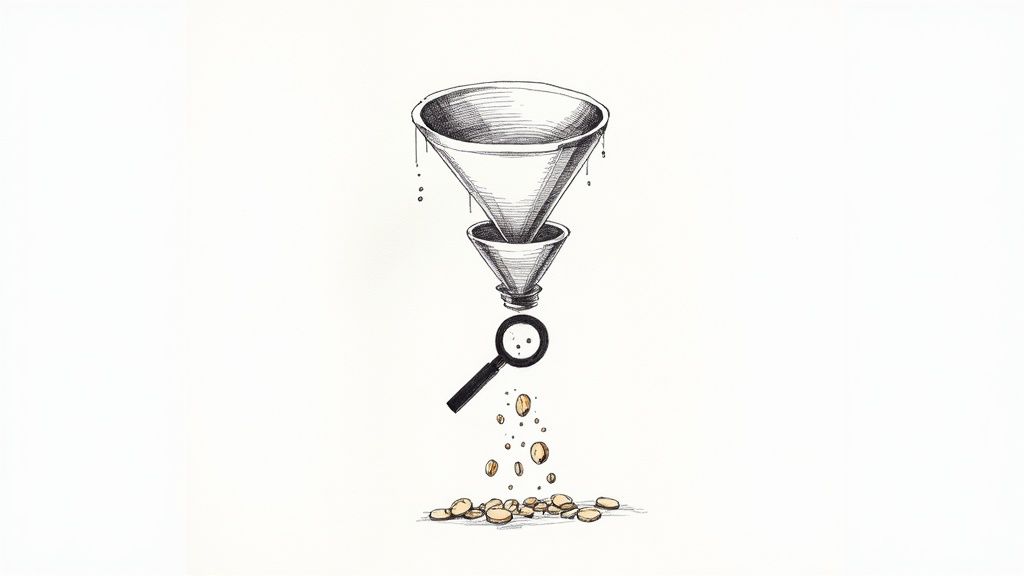
    A magnifying glass hovering over a digital sales funnel, highlighting areas where user icons are falling out, symbolizing customer drop-off points.

    Before you can fix anything, you have to know what’s broken. Trying to boost your conversion rate without knowing where you’re losing customers is like trying to fix a leaky pipe in the dark. You might get lucky, but you’ll probably just make a bigger mess.

    Your first job is to put on your detective hat and find the exact spots where your sales funnel is springing leaks. This isn’t about getting lost in endless spreadsheets; it’s about using a few powerful tools to get a clear picture of user behavior. The goal here is simple: move from guessing to knowing.

    See the Leaks with Funnel Reports

    The most direct way to spot trouble is by visualizing your conversion funnel in an analytics platform like Google Analytics 4. A funnel report shows you the step-by-step path a user takes on their way to making a purchase and, more importantly, where they drop off.

    A typical ecommerce funnel breaks down into a few key stages:

    • Viewed a Product Page: The user shows initial interest.
    • Added to Cart: Their interest turns into a real intent to buy.
    • Began Checkout: They’ve committed and are ready to pay.
    • Completed Purchase: You’ve made a sale.

    Once you build this report, the data will immediately tell you a story. You might find that 90% of users who add an item to their cart start the checkout process—fantastic. But maybe you’ll also discover a huge drop-off between viewing a product page and adding that item to the cart. That’s a critical clue. It tells you the problem isn’t your checkout flow; it’s something on your product pages that’s giving people pause.

    Your funnel report tells you what is happening and where. For instance, if you see a 70% drop-off rate between the “Add to Cart” and “Begin Checkout” steps, you’ve just found your biggest leak. Now you have to figure out why.

    Understand the “Why” Behind the Drop-Off

    Analytics tells you what, but qualitative tools like heatmaps and session recordings tell you why. These tools let you see your site through your customers’ eyes, revealing the friction points that numbers alone can’t.

    Heatmaps give you a visual aggregate of where users click, move their mouse, and scroll. If you noticed people aren’t adding items to their cart, a heatmap of your product page might show that your “Add to Cart” button is practically invisible because it’s below the fold on mobile or its color blends into the background.

    Session recordings are even more powerful. These are literal video playbacks of individual user journeys. I’ve had so many “aha!” moments just watching a handful of recordings. You might see someone repeatedly trying to click on something that isn’t a link, struggling to find shipping info, or getting stuck behind a pop-up that won’t close. It can be a humbling, eye-opening experience.

    Turn Your Data into an Action Plan

    Once you’ve paired the hard numbers from your funnel report with the human insights from heatmaps and recordings, you can finally build a smart, prioritized action plan. Don’t try to fix everything at once. Go after the leaks that are costing you the most customers first.

    If your funnel shows a massive drop-off during checkout and session recordings show users getting confused by the shipping address form, that’s your top priority.

    You might also find that behavior changes depending on where the traffic comes from. For example, maybe visitors from social media ads abandon carts far more often than visitors from organic search. This is where you can start thinking about target audience segmentation and tailoring the experience for different groups.

    This diagnostic approach shifts your entire strategy. Instead of randomly changing button colors and hoping for the best, you’re making data-informed hypotheses designed to fix real, documented problems. That’s the foundation for sustainably growing your conversion rate.

    Fine-Tuning the User Experience to Drive Sales

    An overhead view of a smartphone screen showing a well-designed ecommerce product page with high-quality images and clear calls to action.

    Now that you know where people are dropping off, it’s time to roll up your sleeves and fix the experience itself. A truly great user experience (UX) isn’t about fancy animations or cutting-edge design. It’s about making the journey from “ooh, what’s this?” to “purchase confirmed” completely seamless and intuitive.

    Every single element on your site—from your product photos to the navigation menu—has a job to do. That job is to answer questions, build confidence, and gently guide shoppers toward that “Add to Cart” button.

    Make Your Products Impossible to Resist

    Think of your product page as your digital showroom floor. This is where a casual browser becomes a serious potential buyer. Just listing features and specs won’t cut it; you have to make your products feel tangible and genuinely desirable.

    Start with your visuals. Since shoppers can’t physically touch your products, high-resolution images and videos are your most powerful sales tools.

    • Show Every Angle: Don’t leave anything to the imagination. Provide photos from the front, back, side, and even close-ups of important details.
    • Use Lifestyle Shots: Show your product in action. If you sell a backpack, show a photo of someone actually hiking with it. This helps customers visualize it in their own lives.
    • Bring it to Life with Video: A short demo or product tour can answer questions that static images just can’t. It’s often the final nudge someone needs.

    Next up, your product descriptions need to do some heavy lifting. Go beyond the what and explain the why. A great description doesn’t just list dimensions; it paints a picture of how this product will solve a problem or improve the customer’s life. Try to anticipate common questions and answer them right there in the copy—think materials, care instructions, or compatibility.

    Your product page should be your best salesperson. It needs to anticipate every question a customer might have and provide a clear, compelling answer that leaves no room for doubt.

    For a deeper dive, check out our other articles on creating an excellent user experience.

    Simplify How People Find Things

    This might sound obvious, but it’s a huge conversion killer: if customers can’t find what they’re looking for, they can’t buy it. Confusing navigation is one of the top reasons people bounce. Your goal is to get someone to their desired product in as few clicks as possible.

    A powerful on-site search function is your secret weapon here. I’ve consistently seen that customers who use site search are 2-3 times more likely to convert. Why? Because they already know what they want. Make sure your search bar is front and center and includes features like:

    1. Autocomplete: Suggests products as the user types, speeding up the process.
    2. Typo Tolerance: A simple typo shouldn’t lead to a “no results” page. The search should be smart enough to figure it out.
    3. Visual Search: For certain industries, allowing users to upload an image to find similar products is a game-changer.

    Of course, clear navigation menus and logical categories are just as critical. Use simple, straightforward labels—no one has time for clever jargon—and implement breadcrumbs so users always know where they are on your site.

    Put Your Mobile Experience First

    This isn’t a suggestion anymore; it’s a requirement. Optimizing for mobile is the single most important part of your UX strategy today. The data is clear: while mobile devices account for roughly 73% of all online shopping traffic, conversion rates on desktop are still higher.

    So, what’s with that gap? It exists because too many mobile sites are still a pain to use. But with mobile commerce sales set to explode, fixing this is your single biggest opportunity for growth. You can see more on these ecommerce benchmarks on speedcommerce.com.

    Think “thumb-friendly.” Buttons need to be big enough to tap easily. Forms should be a breeze to fill out on a small screen. The entire checkout flow has to be designed with a mobile user in mind. When you make the experience effortless on any device, you close that conversion gap and turn all that mobile traffic into actual revenue.

    Making Your Checkout Process Effortless

    A streamlined checkout interface on a mobile phone, showing clear steps and easy-to-tap payment options.

    You did it. You got a shopper to find your site, browse your products, and fall in love with something enough to hit “Add to Cart.” This is the home stretch, the final, crucial step. And yet, this is precisely where an incredible number of stores fumble the sale.

    Cart abandonment is the silent killer of conversions, and a complicated, clunky checkout is almost always the culprit.

    I like to think of the checkout as the last hundred meters of a marathon. If a runner sees a clear, flat path to the finish line, they’ll find that last burst of energy and sprint. But if they suddenly see a steep hill or a confusing detour, they’re far more likely to just give up. Your job is to make that final stretch a clear, flat path for your customers.

    The shopping cart abandonment rate is a massive challenge, sitting at 71.3% globally—and it gets even worse on mobile. The number one reason for this massive drop-off? Unexpected costs like shipping and taxes that pop up at the very end. To capture those sales you were so close to making, your entire focus has to be on making the checkout feel effortless. You can dive deeper into the data with these e-commerce benchmarks and abandonment rates on speedcommerce.com.

    Always, Always Offer a Guest Checkout

    Forcing someone to create an account before they can give you their money is probably the fastest way to lose a sale. It’s a huge point of friction at the worst possible moment. The fix is incredibly simple: always offer a guest checkout option.

    Giving shoppers the choice to check out as a guest removes a major barrier. They can complete their purchase quickly, and you can always ask them to create an account after the sale is locked in.

    It’s a win-win scenario. New customers get the speedy experience they demand, and you still get the chance to turn them into a registered user on the confirmation page. A simple “Want to save your info for next time?” prompt works wonders.

    Keep Your Forms Short and Sweet

    Every single field in your checkout form is a small hurdle. The more fields you add, the higher the chance of frustration and, ultimately, abandonment. The goal here is to ask for the absolute bare minimum you need to process the order.

    Here’s how you can trim the fat from your forms:

    • Single Name Field: Just use one field for “Full Name.” Don’t make them tab or click from “First Name” to “Last Name.”
    • Smart Address Lookups: Use a tool that automatically fills in the city and state once a user types in their zip code. It’s a small touch that makes a big difference.
    • Hide the “Company” Field: Unless you’re a B2B business, this field is usually optional. Tuck it away behind a link like “Add company name (optional).”
    • Default to a Single Address: Pre-check a box that says “My billing and shipping address are the same.” For most people, they are.

    These small adjustments drastically reduce the mental effort required from your customers, making the whole process feel faster and way less tedious.

    Be Radically Transparent About Costs

    Long forms and forced sign-ups are annoying, but the undisputed king of cart abandonment is surprise costs. Nothing kills the buying mood faster than a shopper seeing an unexpectedly high shipping fee or tax amount added at the very last second.

    The only way to solve this is to be completely upfront about all costs, as early as you possibly can.

    1. Add a Shipping Calculator: Put a shipping cost estimator right in the shopping cart. Let people enter their zip code to see their options before they even start the official checkout.
    2. Show Taxes Upfront: Don’t wait until the final payment screen to reveal the total. If you can, estimate taxes based on the user’s location early in the process.
    3. Offer Modern Payment Options: Make sure you’ve integrated digital wallets like Apple Pay and Google Pay, along with ‘Buy Now, Pay Later’ services like Klarna or Afterpay. These options offer speed and flexibility, which can be the final nudge a hesitant shopper needs to click “Buy.”

    When you build a checkout that’s simple, transparent, and flexible, you transform a common point of friction into a smooth final step that seals the deal.

    Earning Trust and Sparking Action

    So, a potential customer has landed on your site. They’ve browsed, they’ve clicked, and they’ve even added an item to their cart. They are this close to buying, but then… they hesitate. That single moment of doubt can derail the entire sale. In the impersonal world of e-commerce, trust isn’t just a nice-to-have; it’s the bedrock of every transaction.

    Your job is to get them over that final hurdle. It’s a careful dance between making them feel completely secure and giving them a compelling nudge to buy now.

    Show Them They’re in Good Hands

    First-time visitors are wired for skepticism. Their internal monologue is running wild: “Is this a real company? What if I hate the product? Is my credit card info safe here?” You have to proactively silence those fears.

    This is where trust signals come into play. They’re the visual cues and guarantees that instantly put a shopper’s mind at ease. Think of them as the digital version of a friendly, knowledgeable salesperson in a brick-and-mortar store.

    • Security Badges: Placing recognizable logos from Norton, McAfee, or your SSL provider right where they can see them—especially at checkout—is a powerful visual shorthand for “you’re safe here.”
    • A No-Nonsense Return Policy: Don’t bury your return policy in the footer labyrinth. A straightforward, fair, and easy-to-find policy demolishes the perceived risk of a bad purchase. A simple banner saying “30-Day Hassle-Free Returns” can be the final push a nervous buyer needs.
    • Customer Reviews and Ratings: This is your social proof superpower. Nothing convinces a new customer like seeing that other real people bought from you and were happy they did.

    You really can’t overdo it with reviews. The global ecommerce market is projected to reach a staggering $6.86 trillion in 2025, meaning shoppers are drowning in options. To cut through the noise, you have to lean on what other people are saying—an incredible 99% of customers read reviews before buying. Learn more about global ecommerce trends on sellerscommerce.com.

    Trust is built in tiny, critical moments. A single security badge or a transparent return policy can be the only thing standing between you and an abandoned cart. Make your commitment to their security impossible to ignore.

    Nudging Them Forward with Ethical Urgency

    Once a shopper feels safe, it’s time to create a little urgency. We’re not talking about cheesy, high-pressure sales tactics here. This is about giving customers a legitimate reason to stop overthinking and just make a decision. Done right, urgency helps people overcome their own indecision and feel smart for acting quickly.

    Here are a few tactics that work without feeling sleazy:

    1. Low-Stock Alerts: A simple message like “Only 3 left!” creates a natural fear of missing out. It’s most powerful when it’s true, as it also signals the product’s popularity.
    2. Time-Bound Offers: Nothing gets people moving like a ticking clock. A countdown timer for a sale or a discount that expires at midnight frames the choice as now or never.
    3. Shipping Cutoffs: “Order in the next 3 hours for same-day shipping” is a brilliant, service-oriented way to create urgency. The focus is on a benefit they want: getting their stuff faster.

    One of the most effective ways to broadcast these messages is with an attention-grabbing notification bar. A clean top bar can announce a flash sale or a shipping deadline without being obnoxious like a pop-up. Understanding the benefits of a notification bar makes it clear how this simple tool can highlight your most important messages, turning casual browsing into decisive action.

    It’s Not a Project, It’s a Process

    You’ve patched the leaks, smoothed out the checkout flow, and earned your visitors’ trust. Fantastic. But boosting your conversion rate isn’t a one-and-done task you can cross off a list. The stores that consistently win are the ones that treat optimization as a core part of their operations—a continuous cycle of testing, learning, and refining.

    This mindset is what separates hopeful guesswork from systematic, data-driven growth. It’s all about structured experimentation, and the workhorse of experimentation is A/B testing. The idea is simple: you create two versions of a page element (Version A, the original, and Version B, the challenger) and show them to different groups of visitors to see which one performs better.

    Start With a Smart Hypothesis, Not a Random Guess

    Don’t fall into the trap of testing things just for the sake of it, like randomly changing button colors. A real testing program starts with a solid hypothesis rooted in the data you’ve already collected. Your analytics, heatmaps, and session recordings are your treasure map—they point directly to the problem areas.

    Let’s imagine your funnel report shows a huge drop-off on product pages. You pull up some heatmaps and notice that almost no one is scrolling far enough to see the detailed product specifications. That’s your clue.

    From there, you could form a hypothesis like this:

    “I believe that moving the key product specifications into a tabbed section right below the main product images will make that critical info easier to find. As a result, more people will get their questions answered and click ‘Add to Cart’.”

    See? That’s a specific, testable idea. It’s not a vague hope; it’s a direct response to an observed user behavior. Now you’re ready to build your “B” version and see if you’re right.

    Run Clean Tests and Trust the Data

    When you launch an A/B test, discipline is everything. You absolutely have to change only one thing at a time. If you change both the headline and the main product image, you’ll have no idea which element actually drove the results. It’s tempting to bundle changes, but you’ll muddy the waters and learn nothing. Be patient.

    Let the test run long enough to achieve statistical significance. This is a fancy way of saying you have enough data to be confident the outcome isn’t just a random fluke. Good testing tools, like Google Optimize or VWO, will tell you when you’ve reached this milestone, usually around a 95% confidence level.

    Once the test concludes, it’s time to look at the results. Did your change lift conversions? Awesome. Push that change live for everyone. Did it do nothing, or even make things worse? That’s still a win. Seriously. You just learned that your hypothesis was wrong, and you saved yourself from permanently implementing a change that would have cost you money.

    This cycle—hypothesize, test, analyze, learn—is the real engine of long-term growth. It transforms your website from a static brochure into a dynamic laboratory where every tweak gets you one step closer to understanding what truly makes your customers tick.

    Your Questions, Answered

    Got some lingering questions about how to actually move the needle on your conversion rates? It’s a common feeling. Let’s tackle some of the most frequent questions we get from founders and marketers who are serious about turning more visitors into customers.

    What’s a “Good” Ecommerce Conversion Rate, Really?

    The industry benchmark you’ll hear thrown around is usually between 2% and 4%. But honestly, that number can be misleading. A store selling $20 t-shirts is going to have a much different conversion rate than one selling $3,000 custom furniture.

    Instead of obsessing over a global average, focus on your own numbers. Your real goal should be to consistently beat your last month’s performance. That’s how you build real momentum.

    How Much Do Product Pages Actually Matter?

    Think of your product page as your digital salesperson. It’s where the final “yes” or “no” decision is made, so it’s absolutely critical. This is where a visitor decides if they trust you enough to pull out their credit card.

    To make sure your pages are closing the deal, you need a few non-negotiables:

    • Amazing Visuals: Don’t just show the product; show it being used. Multiple high-res photos, different angles, and maybe even a short video can make all the difference.
    • Compelling Copy: Ditch the jargon. Your descriptions should focus on the benefits for the customer, not just a list of features. How will this make their life better?
    • Visible Social Proof: Customer reviews and ratings need to be front and center. Shoppers actively look for them, so don’t make them hunt.

    Here’s something to keep in mind: over 60% of your traffic is likely on a phone. If your product pages aren’t perfect on mobile, you’re practically throwing sales away.

    I Need a Boost Now—What Are the Quickest Wins?

    If you’re looking for fast, high-impact changes, the game is all about reducing friction and building trust. These are the two levers you can pull right away.

    First, take a hard look at your checkout process. Is it as simple as it can possibly be? The famous story about Expedia earning an extra $12 million a year just by removing one optional form field is a powerful lesson. Every single field is a potential roadblock.

    Second, sprinkle trust signals all over your checkout and product pages. Things like security badges, clear return policies, and a bold “Free Shipping” reminder right next to the “Buy Now” button can be the final nudge a hesitant shopper needs to feel confident and complete their order.


    Ready to grab your visitors’ attention and drive more sales? LoudBar helps you create unmissable notification bars that turn fleeting interest into action. Ditch banner blindness and start converting more traffic today at https://loudbar.co.