Tag: CRO

  • How to Split Test Landing Pages for Higher Conversions

    How to Split Test Landing Pages for Higher Conversions

    So, you want to get more out of your landing page? The best way I’ve found to do that is through split testing. It’s a straightforward concept: you pit two versions of your page against each other—an ‘A’ and a ‘B’ version—to see which one actually gets more people to act.

    This isn’t about guesswork or following the latest design trend. It’s the single most effective way to use real user data to improve your conversion rates.

    Why You Can’t Afford to Skip Split Testing

    A person with two speech bubbles above their head, one that says A and one that says B

    Forget what generic marketing blogs tell you. The only way to truly figure out what makes your specific audience click is to test your ideas with cold, hard data. When you build a structured split testing program, you stop gambling with your marketing budget and start making predictable, scientific improvements.

    This data-first mindset is essential for any business that’s serious about growth. Think about it: every visitor who hits your page and leaves without converting is a lost opportunity. If you aren’t testing, you’re just assuming your page is as good as it can be—and you’re almost certainly leaving money on the table.

    From Hunches to Hard Evidence

    I’ve seen tiny, almost insignificant tweaks produce massive results. A simple headline change, a different color on a call-to-action (CTA) button, or a new hero image can completely change how people behave on your page. Split testing is just the framework that lets you measure these changes accurately.

    The data backs this up. The median conversion rate for a landing page is around 6.6%, but that number swings wildly depending on the industry. E-commerce often sees a lower rate of 4.2%, while something like events can pull in an average of 12.6%. This just goes to show there’s no magic formula; you have to test what resonates with your audience.

    By constantly testing and refining, you turn your landing page from a static digital flyer into a dynamic, high-performance conversion engine. Every test gives you another piece of the puzzle, and those insights build on each other over time.

    What It Really Costs You to Not Test

    When you decide against split testing, you’re essentially running your marketing on gut feelings. That’s a risky and expensive way to operate, especially when you might be missing out on huge improvements in leads, sales, and ROI.

    Embracing a testing culture brings some clear wins:

    • More Conversions: You directly move the needle on the metrics that actually impact your bottom line.
    • Deeper Customer Insights: You stop guessing and start understanding what your audience truly wants and what their pain points are.
    • Lower Risk: You can make changes with confidence, knowing they’re backed by data, instead of rolling out expensive redesigns that might flop.

    If you’re ready for a deeper dive, check out this excellent guide to Boost Conversions with Split Test Landing Pages. At the end of the day, learning https://blog.loudbar.co/how-to-increase-website-conversion-rate/ starts with a commitment to methodical testing.

    How to Build a Powerful Testing Hypothesis

    Every truly successful split test is won long before you ever launch a variant. Forget guesswork like “let’s change the button color” and hope for the best. The real wins come from a solid, data-backed hypothesis that gives your test purpose.

    Blue cartoon with hat and magnifying glass

    The best experiments are born from observation, not just a sudden spark of creativity. You need to dig into your existing data to find the real conversion roadblocks your visitors are hitting. This approach ensures every test you run is designed to teach you something valuable, whether it wins or loses.

    Start By Finding The Problem In Your Data

    Your first job is to play detective. Before you can propose a solution, you need to identify a specific, measurable problem in how users are interacting with your landing page. Don’t just glance at your overall conversion rate; you have to find the why behind the numbers.

    Where should you look for clues? Here are a few of my go-to sources for finding testing gold:

    • Website Analytics: Dive into your analytics platform. Look for pages with unusually high bounce rates or a steep drop-off at a particular stage in your conversion funnel. Is there one specific step where a huge chunk of your visitors just gives up?
    • Heatmaps and Session Recordings: These tools are fantastic for seeing your page through your users’ eyes. Heatmaps can show you that everyone is clicking on a non-clickable element, while session recordings might reveal people scrolling frantically up and down, looking for information they can’t find.
    • User Feedback and Support Tickets: Your customers are telling you what’s wrong—you just have to listen. Are you getting the same questions over and over? Those repetitive support tickets are often a direct signal that your landing page messaging is unclear or your user experience is confusing.

    Let’s say your analytics show that 60% of visitors abandon your five-field signup form. That’s a clear problem. A potential solution could be to slash it down to just two fields: name and email. The prediction? You might aim to see your conversion rate jump from 3% to 5%. This is the kind of problem-solution-prediction thinking that leads to impactful tests. For a deeper dive, there’s a great breakdown on building strong test foundations on leadpages.com.

    Frame Your Hypothesis With A “Because” Statement

    Once you’ve pinpointed a problem, it’s time to frame it as a formal hypothesis. A simple but incredibly effective framework is what I call the “If-Then-Because” statement. It forces you to connect your proposed change to a measurable outcome and, crucially, to justify your reasoning.

    If we make [this specific change], then [this key metric] will improve, because [this is the user behavior we are addressing].

    This simple structure is what separates a random guess from a strategic experiment. Below is a quick comparison showing how to level up your ideas into something truly testable.

    Hypothesis Framing Examples

    Weak Idea Data Observation (The Why) Strong Hypothesis
    “Let’s make the CTA button bigger.” Heatmaps show users scroll past the CTA without clicking it. The current button blends in with the background. If we increase the CTA button size by 50% and change its color to high-contrast orange, then we’ll see a 10% lift in clicks, because it will be more visually prominent and draw user attention.
    “We should add some testimonials.” Session recordings show users hesitating on the pricing section and scrolling up and down before leaving the page. If we add three customer testimonials directly below the hero section, then we predict a 15% increase in demo requests, because this provides immediate social proof to build trust before users evaluate the offer.
    “The headline is too long.” The bounce rate for this page is over 80%, and analytics show the average time on page is under 10 seconds. If we replace the current 20-word headline with a 7-word, benefit-driven one, then the bounce rate will decrease by 20%, because visitors will be able to understand our core value proposition instantly.

    See the difference? The strong hypotheses are precise, measurable, and directly tied to an observed user behavior. This level of clarity turns your split test from a shot in the dark into a calculated experiment designed to drive real learning and growth.

    Designing Landing Page Variants That Get Results

    Once you have a solid, data-backed hypothesis, it’s time for the fun part: creating a “challenger” landing page that could genuinely outperform your current version. This is where you translate all those insights about user behavior into actual design changes that aim to move the needle on conversions.

    The golden rule here is to isolate variables. It’s tempting to change the headline, tweak the button color, and swap the hero image all at once. But if you do that, you’ll have no idea which specific change caused the uplift (or the drop). Start with focused, high-impact changes that directly tackle the problem your hypothesis identified.

    Focus on High-Impact Page Elements

    While you can technically test almost anything, some parts of your landing page carry a lot more weight than others. To get the biggest bang for your buck, focus your first tests on the components that most directly influence a visitor’s decision.

    Here are a few of the most powerful places to start:

    • The Headline: This is your first impression. Test a benefit-driven headline (“Get More Leads in Less Time”) against one that’s more feature-focused (“Our Software Uses AI Automation”). See which one hooks them.
    • Call-to-Action (CTA): This is the final step before conversion. Play with the button copy (“Get Started Free” vs. “Create Your Account”), its color (is it popping off the page?), and its placement.
    • Hero Section Media: The main image or video immediately sets the tone. You could test a clean product screenshot against a photo of a happy customer, or see if a short explainer video beats a static image.
    • Social Proof: Nothing builds trust like seeing that others have already found success. Pit a row of impressive client logos against a single, compelling video testimonial. Which one feels more authentic to your audience?

    The image below is a fantastic example of testing two completely different hero section concepts to see what truly connects with visitors.
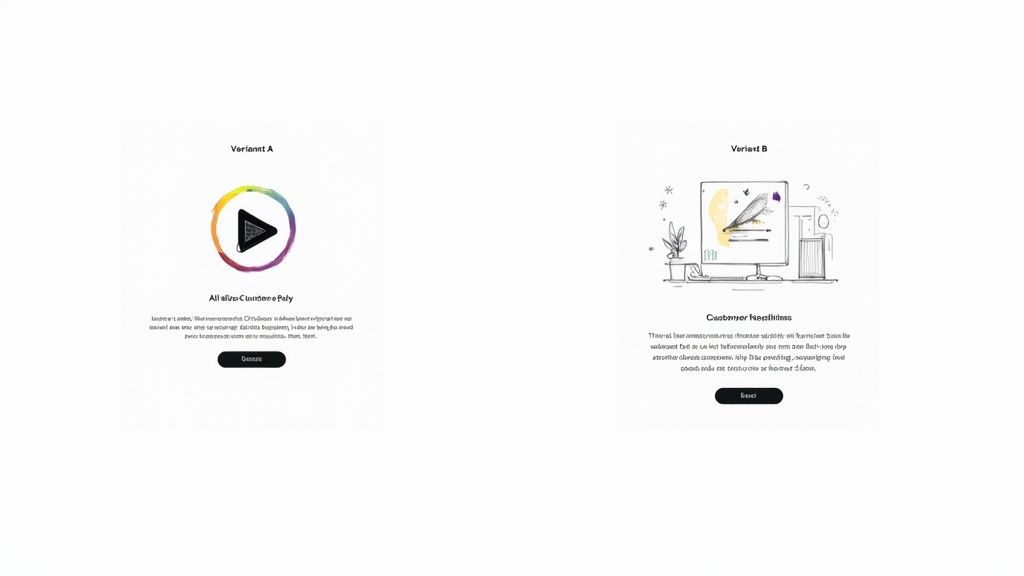
    Two split test landing page variants showing video player design versus customer headlines illustration with call-to-action buttons

    Here, a video-centric design is tested against a more traditional headline-and-illustration layout. They’re both chasing the same goal, but they’re using very different psychological triggers to get there.

    Testing Page Layout and Form Design

    Beyond tweaking individual elements, sometimes the entire structure of your page needs a shake-up. A more radical redesign can help you test a fundamentally different approach to the user’s journey.

    For instance, you could test a long-form, single-column sales page against a more compact, multi-column layout for a B2B service. The question is, which format does a better job of guiding the user toward the conversion goal?

    Form design is another area where layout is king. One study I’ve seen compared a horizontal form bar to a vertical one. The vertical layout pulled in a 0.32% conversion rate, while the horizontal one only managed 0.23%. That small tweak delivered a 52% improvement in performance—proof that layout is a powerful lever. You can check out more landing page testing results to see just how much these kinds of changes can matter.

    Remember, the goal of designing a variant isn’t just to make something that looks different—it’s to create an experience that behaves differently in a way that helps the user achieve their goal more easily.

    At the end of the day, your variant design should flow directly from your hypothesis. Every change needs a clear “why” behind it. For more ideas on how design choices influence conversions, feel free to explore our articles on improving user experience. By always tying your design decisions back to observed user behavior, you guarantee that every split test is a valuable learning opportunity, win or lose.

    Running Your Split Test Without Technical Mishaps

    A brilliant hypothesis is worthless if the test itself is technically flawed. I’ve seen it happen too many times: a sloppy setup corrupts the data, wastes weeks of traffic, and sends the team chasing phantom results. Getting the mechanics right from the get-go is the only way to ensure you can actually trust your findings.

    Thankfully, you don’t have to be a developer to get this right. Most modern testing platforms handle the heavy lifting for you, especially the critical task of randomizing traffic. You need to be certain your tool is delivering a truly random 50/50 split. If it isn’t, you’re introducing a bias that invalidates everything before you even start.

    First Things First: Calculate Your Sample Size

    Before you even dream of launching your test, you have to know what your target is. How many people need to see your pages, and how many conversions do you need to count, before you can confidently call a winner?

    Launching a test without this number is like flying blind. You might see one version pull ahead after a couple of days and be tempted to stop the test, but that’s a classic rookie mistake.

    You’ll need an A/B test sample size calculator to figure this out. You’ll plug in a few numbers:

    • Baseline Conversion Rate: This is just your current landing page’s conversion rate.
    • Minimum Detectable Effect: What’s the smallest lift you care about? Are you looking for a 10% increase or something more dramatic?
    • Statistical Significance: This is your confidence level. The industry standard is 95%, and you should stick to it.

    This simple calculation is your defense against making decisions based on random chance. Early leads are often just statistical noise, not a real signal.

    If you remember one thing, make it this: be patient. Ending a test prematurely because one variation is “winning” is the single biggest—and most destructive—mistake in A/B testing. You have to let the test run until it hits the sample size you calculated. No exceptions.

    How Long Should You Run the Test?

    While hitting your sample size is the primary goal, the duration of the test also matters. You need to run it long enough to account for the natural ebbs and flows of user behavior. Someone visiting your site on a Tuesday morning might behave very differently than someone browsing on a Saturday night.

    As a general rule, aim to run your test for at least one full business cycle. For most businesses, this means one or two full weeks. This duration helps average out any weirdness from specific days of the week, giving you a much more realistic picture of performance.

    Also, be aware of what else is going on in your business. Kicking off a split test right in the middle of a massive Black Friday sale or a viral social media campaign is a recipe for disaster. Those events will send unusual, highly-motivated traffic to your page and completely pollute your test data. Unless the promotion is what you’re testing, try to isolate your experiments from major marketing pushes. This way, you’ll know your results are from your changes, not a temporary traffic spike.

    How to Analyze Your Results and Declare a Winner

    The test is over, the data is in, and now comes the moment of truth. This is where you turn all that hard work into real, measurable improvements. But I’ve seen it time and again—this is also where a lot of well-intentioned efforts fall apart.

    Picking a winner isn’t as simple as just pointing to the variant with the higher conversion rate. You need to make a statistically sound decision that you can count on to boost your landing page’s performance for the long haul.

    Teamwork building success

    It’s tempting to glance at the main numbers and call it a day, but the real gold is usually buried a little deeper. You have to understand the confidence behind your results.

    Get a Handle on Statistical Significance

    If there’s one concept you absolutely need to nail when you split test a landing page, it’s statistical significance. This is the metric that tells you how likely it is that your results happened because of the changes you made, not just random luck. It’s basically a confidence score for your entire experiment.

    In the world of testing, the gold standard for declaring a winner is a 95% confidence level. What this means is you can be 95% sure that the difference you’re seeing between your control and your variant is the real deal and will happen again.

    If your testing tool shows a confidence level below that magic number, you don’t have a true winner. It doesn’t matter if one version looks like it’s pulling ahead.

    A test result with 80% confidence might feel promising, but think about it this way: there’s still a one-in-five chance it’s a total fluke. You wouldn’t want to build a business strategy on those odds. Stick to the 95% rule to make sure your changes are built on solid ground.

    Dig Deeper: Segment Your Results

    Just looking at the overall conversion rate is only scratching the surface. The real magic, the kind that leads to breakthroughs, happens when you start segmenting your results. You need to understand how different groups of people reacted to your changes. This is how you uncover those powerful, nuanced insights that a bird’s-eye view will always miss.

    Start by slicing your data based on:

    • Device Type: Did your new, slick design kill it with mobile users but fall flat on desktop?
    • Traffic Source: How did visitors from your latest email campaign respond compared to people clicking your paid ads?
    • New vs. Returning Visitors: Does your bold new messaging resonate more with first-timers or with your loyal followers?

    This kind of granular analysis is where the game is won. For example, a test might show Version B winning by 10% overall. Good, but not great. But when you segment, you might discover it actually crushes it with mobile users by 25% while losing by 15% on desktop.

    Now that’s an insight you can act on. You can deploy the winning design just for mobile while keeping the original for desktop, maximizing your gains across the board. You can learn more about how segmentation clarifies test results on leadpages.com.

    Making the Final Call

    Once you’ve got a winner with at least 95% statistical confidence, it’s go-time. Push the winning variation live as the new control for all the relevant traffic segments.

    But don’t just pop the champagne and move on. The real power of testing is that your learnings fuel your next hypothesis. Your insights on conversion rate optimization are cumulative; every test you run should build on the knowledge you gained from the last one.

    And if you’re ready to look beyond basic split tests, there are some great resources on enhanced incrementally testing and A/B experiments that can offer even deeper insights.

    Common Landing Page Testing Mistakes to Avoid

    Even the most experienced optimizers trip over common pitfalls that can completely tank their test results. Running a clean, reliable split test involves more than just a clever hypothesis; you have to be vigilant about avoiding critical errors that will corrupt your data and point you in the wrong direction.

    These mistakes might seem minor on the surface, but they can easily waste weeks of valuable traffic and lead to disastrous business decisions. Knowing what they are ahead of time is the best way to protect your testing program from being built on a foundation of bad data.

    Testing Too Many Variables at Once

    It’s always tempting to try and fix everything at once. You want to change the headline, swap out the hero image, and rewrite the CTA button. While it might feel like you’re being efficient, you’re actually setting yourself up to learn absolutely nothing.

    If your new Frankenstein-page wins, you’ll have no clue why. Was it the powerful new headline? Or was it just the brighter button color?

    To run a meaningful A/B test, you have to isolate a single variable. This is the only way to know with certainty that your change was responsible for the change in performance. Real optimization is a game of inches—a series of small, proven gains, not a chaotic overhaul.

    Calling a Test Too Early

    This is probably the single most common—and most damaging—mistake I see. You launch a test, and two days in, your new variation is crushing it with a 20% higher conversion rate. The urge to declare victory, push the winner live, and pop the champagne is almost irresistible. But you have to fight it.

    Early results are often just statistical noise. A test isn’t done until it reaches its predetermined sample size and hits a statistical significance of at least 95%. If you stop before that, you’re basically just flipping a coin and letting random chance dictate your strategy.

    Patience is everything in good A/B testing. You have to let the test run its course, even when one variation is jumping ahead or falling behind. Trust the math, not your gut feeling.

    Ignoring Technical Pitfalls

    Your results are only as reliable as your technical setup. A few gremlins hiding behind the scenes can quietly sabotage your data without you ever knowing it. One of the most infamous culprits is the “flicker effect.”

    This is when the original page flashes on screen for a split second before the testing tool swaps in the variant. That brief, jarring flash can annoy visitors and negatively influence their behavior, unfairly biasing the results against your new version.

    A few other technical issues to keep an eye on:

    • Improper Cookie Handling: Make sure your tool correctly remembers which version a returning visitor has seen. A consistent experience is crucial for clean data.
    • Slow Page Load Speeds: If your variant takes longer to load than the control, you aren’t just testing a new design—you’re testing your visitors’ patience.

    By sidestepping these common blunders, you can run clean split tests on your landing page, trust that your data is accurate, and be confident that the insights you’re gathering are the real deal.

    Got Questions About Split Testing? We’ve Got Answers

    Even with the best plan, you’re bound to run into a few head-scratchers once you start testing your landing pages. It happens to everyone. Let’s walk through some of the most common questions that pop up, so you can keep your experiments on track and trust the data you’re collecting.

    How Long Should My Landing Page Test Run?

    There’s no one-size-fits-all answer here, but there are a couple of hard-and-fast rules.

    First, you need to run the test long enough to get a complete picture of your traffic patterns. Think in terms of a full business cycle, which for most companies is about one to two weeks. This helps average out the natural ups and downs you see in visitor behavior—after all, your B2B traffic on a Monday morning is probably a whole lot different than it is on a Friday afternoon.

    Even more critical, however, is hitting statistical significance. Before you launch anything, plug your numbers into an A/B test duration calculator. It’ll give you a solid estimate based on your page’s current conversion rate and the improvement you’re hoping to see.

    Whatever you do, never stop a test early. I can’t stress this enough. It’s tempting to call it when one variant shoots ahead, but those early results are often just statistical noise. Making a call based on a random fluke can send your whole strategy down the wrong path.

    What if My Test Results Are Inconclusive?

    Getting an “inconclusive” result feels like a letdown, but it’s not a failure. It’s actually a piece of valuable feedback. Most of the time, it simply means the change you tested wasn’t powerful enough to make a real difference to your visitors.

    Another possibility is that different segments of your audience reacted in opposite ways, essentially canceling each other out. This is where you get to do some real detective work. Dive into your analytics and segment the results. Did the new version work better for mobile users but worse for desktop? Did it resonate with visitors from paid ads but fall flat with your organic traffic?

    Use those insights to build a smarter, more targeted hypothesis for your next round of testing.

    Should I Test a Radical Redesign or Just Tweak Small Details?

    This is a classic debate, and the truth is, you need both in your optimization toolkit. The right approach really depends on your goals and how much risk you’re willing to take on.

    • Iterative Changes: Small, focused tests—like changing your button copy or swapping out a headline—are the bread and butter of continuous optimization. They’re low-risk and perfect for dialing in the performance of a page that’s already doing pretty well.
    • Radical Redesigns: If your current page is a serious underperformer, incremental tweaks might not be enough. Testing a completely different layout or value proposition is a high-risk, high-reward move designed to find a big breakthrough.

    The most sophisticated teams I’ve worked with do both. They’ll run a radical redesign to establish a new, higher-performing baseline, and then they’ll immediately follow up with a series of iterative tests to fine-tune that new winner.


    Ready to make sure your most important messages get seen? LoudBar helps you create unmissable, conversion-focused notification bars that break through banner blindness. Start grabbing your visitors’ attention today at https://loudbar.co.
  • How to Increase Website Conversion Rate: A Practical Guide

    How to Increase Website Conversion Rate: A Practical Guide

    Boosting your website’s conversion rate isn’t about guesswork or randomly changing button colors. It’s a methodical process that starts with a deep dive into your data to truly understand what your visitors are doing, where they’re getting stuck, and why. From there, it’s all about forming smart hypotheses, testing changes, and scaling what actually works.

    Your Starting Point: The Foundational CRO Audit

    A person analyzing charts and graphs on a computer screen, representing a website audit.

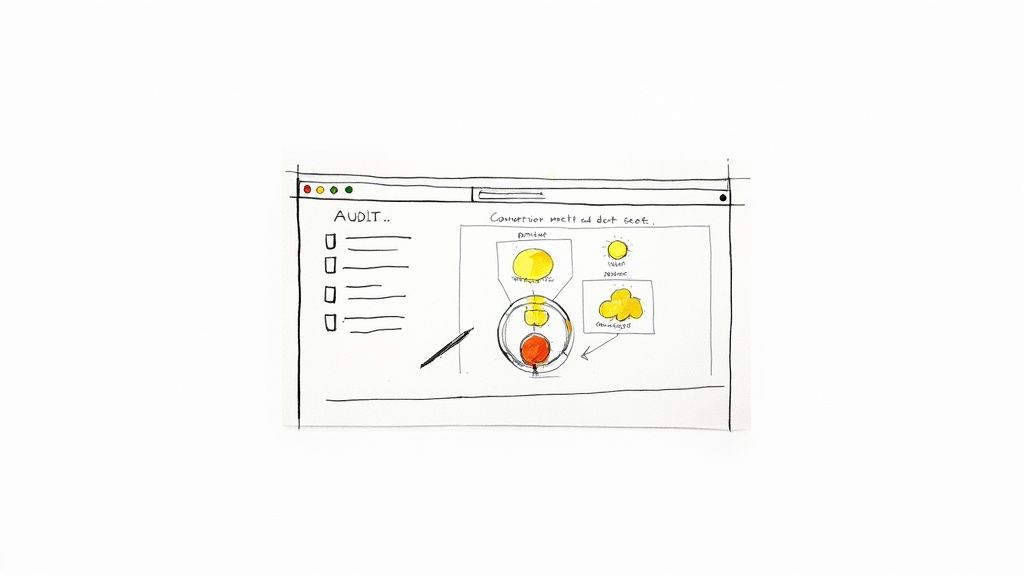
    Before you can fix anything, you have to know what’s broken. Jumping straight into A/B testing without a clear baseline is like trying to navigate a new city without a map—you’ll be moving, but probably not in the right direction. A proper CRO audit is about gathering objective data to see your website through your users’ eyes.

    This isn’t the time for assumptions. You need to become a digital detective. Your mission is to uncover precisely where potential customers get frustrated, confused, or just give up. By blending hard numbers with real human behavior, you can build a complete picture of your site’s performance and zero in on the biggest opportunities.

    Digging into the “What” with Quantitative Analytics

    Your first stop should always be your analytics platform, which for most of us is Google Analytics. This is where you find the “what” of user behavior. Forget vanity metrics like total traffic for a moment and focus on the data points that scream “friction!”

    Start by dissecting these key reports:

    • Funnel Visualization: This is your bread and butter. Map out the critical steps a user takes to convert, whether it’s an e-commerce checkout or a B2B lead form. This report will show you the exact pages where you’re losing the most people. A 90% drop-off between the cart and payment pages? That’s not just a leak; it’s a firehose.
    • Landing Page Performance: Take a hard look at your top landing pages. Sort them by bounce rate or, even better, by their abysmal conversion rates. A high-traffic page that isn’t converting is a goldmine for optimization. A blog post pulling in thousands of visitors with zero conversions likely has a weak call-to-action (CTA) or a design that hides the next step.
    • New vs. Returning Users: Segmenting your audience is crucial. How do first-timers behave compared to your loyal fans? If returning users convert at a much higher rate, it’s a strong signal that new visitors aren’t grasping your value proposition right away.

    A quantitative audit is fantastic for identifying the problem areas. It tells you where users are bouncing, but it can’t tell you why. For that, you need to see things from their perspective.

    Uncovering the “Why” with User Behavior Tools

    Once you know where the problems are, it’s time to figure out why they’re happening. This requires tools that show you how people actually interact with your pages. These insights are what separate good CRO from great CRO—they add the human story behind the numbers.

    Two types of tools are absolute game-changers here:

    Heatmaps: Tools like Hotjar or Crazy Egg create a visual overlay on your site showing where users click, move their mouse, and scroll. A heatmap might instantly reveal that dozens of users are clicking on a non-clickable image, signaling a major UX flaw. Or, it could show that your primary CTA is “below the fold,” where almost no one ever scrolls.

    Session Recordings: Think of these as a DVR for your user’s journey. Watching a few recordings of a problematic page can be one of the most humbling and eye-opening experiences in marketing. You’ll see users rage-clicking a broken button, struggling to find the right field in a form, or just looking completely lost. This firsthand evidence is invaluable for building empathy and generating powerful test ideas. You can dig deeper into interpreting these patterns by exploring other resources on improving conversion rates.

    By the end of this foundational audit, you shouldn’t be left with a list of random ideas. You should have a data-backed list of very specific problems: “Users are abandoning checkout on the shipping page,” or “Almost no one is clicking the ‘Request a Demo’ CTA on our features page.” This level of clarity is the bedrock of any successful optimization effort.

    Prioritizing Opportunities For Maximum Impact

    Photo by <a href="https://unsplash.com/@ch_pski?utm_source=unsplash&utm_medium=referral&utm_content=creditCopyText">Ch_pski</a> on <a href="https://unsplash.com/photos/a-street-sign-on-a-pole-bylXfUFJylU?utm_source=unsplash&utm_medium=referral&utm_content=creditCopyText">Unsplash</a>

    After a deep-dive audit, you’re probably looking at a massive, and frankly, intimidating list of potential fixes. The checkout flow is clunky. Mobile navigation is a total mess. And that one landing page has a bounce rate high enough to make any marketer break out in a cold sweat.

    The question shifts from “what’s broken?” to a much tougher one: “what do we fix first?”

    If you try to tackle everything at once, you’ll just spin your wheels, burn out your team, and see minimal results. To genuinely move the needle on your conversion rates, you need a system. You need a way to separate the quick wins from the game-changing projects.

    Introducing The Impact Versus Effort Model

    I’ve found the most practical way to build a CRO roadmap is to score every potential fix on two simple scales: Potential Impact and Required Effort. This framework forces you to be honest about both the potential upside of a change and the real-world resources needed to pull it off.

    Think of Potential Impact as the lift you expect to see in your key metric. Required Effort is the total cost—developer time, design hours, new copy, and sometimes even the political capital needed to get it approved.

    Here’s a simple scoring system I use:

    • Impact Score (1-5):
      • 5 (Massive): A change that directly affects the final conversion step. Think simplifying the checkout form or fixing a broken payment gateway.
      • 3 (Significant): An update on a key page that removes a known point of friction, like rewriting a confusing headline on a high-traffic product page.
      • 1 (Minor): A small cosmetic tweak with limited visibility, like changing a button color on a low-traffic “About Us” page.
    • Effort Score (1-5):
      • 5 (Very High): A huge undertaking. This is a complete page redesign or a new feature build that requires significant engineering and design resources.
      • 3 (Medium): Needs a few hours from a developer and maybe some copy updates.
      • 1 (Very Low): A quick fix you can handle yourself in the CMS in under an hour.

    Once you assign these two scores to every item on your list, you can plot them into four distinct quadrants. This is where your strategy truly comes to life.

    Your Four Strategic Quadrants

    With everything scored, you can categorize each task to build a clear, logical action plan. Visualizing your opportunities this way makes the next steps obvious.

    1. High-Impact, Low-Effort (Quick Wins): This is your goldmine. These are the no-brainers you should jump on immediately. Think updating CTA copy, adding trust badges, or removing a couple of unnecessary form fields.
    2. High-Impact, High-Effort (Major Projects): These are the big, meaty initiatives like overhauling the entire checkout process or redesigning the mobile experience. They have massive potential but need proper planning, so schedule these for future quarters.
    3. Low-Impact, Low-Effort (Fill-in Tasks): These are the minor tweaks that are nice to have but won’t fundamentally change your business. Do them when you have a bit of downtime, but don’t let them distract you from what really matters.
    4. Low-Impact, High-Effort (The Time Wasters): These are the projects that suck up resources with almost no return. Learn to politely say no to these and keep your team focused on impactful work.

    This framework is about more than just task management; it’s about building momentum. Knocking out a few quick wins gives your team a morale boost and generates the data you need to justify tackling those larger, more resource-intensive projects.

    Don’t forget to factor in your traffic sources when prioritizing. Data shows that in 2025, traffic from SEO has an average conversion rate of 2.3%, which is significantly better than paid social at 1.6%. At the same time, direct traffic converts at an impressive 3.3%, which tells us these visitors already know and trust you.

    These numbers suggest that focusing your optimization efforts on pages ranking well in organic search can deliver a fantastic return. You can see more on how conversion benchmarks vary by channel. And for those high-intent visitors coming directly to your site, check out our guide on personalized marketing to learn how to tailor their experience for an even bigger lift.

    Crafting And Implementing Winning Test Hypotheses

    Illustration by <a href="https://unsplash.com/@salmangfx?utm_source=unsplash&utm_medium=referral&utm_content=creditCopyText">Salman Ahmad</a> on <a href="https://unsplash.com/illustrations/man-with-laptop-gets-an-idea-symbolized-by-lightbulb-wu7DpEKTdAc?utm_source=unsplash&utm_medium=referral&utm_content=creditCopyText">Unsplash</a>

    Alright, you’ve done the hard work of digging through the data and now have a prioritized list of conversion roadblocks. This is where the real fun begins—turning those insights into action. We’re moving from what’s wrong to how we can fix it by crafting clear, testable hypotheses.

    A strong hypothesis isn’t just a random guess. It’s a structured prediction that connects a specific problem you found to a potential solution and, most importantly, a measurable outcome. It’s the difference between saying “let’s try a new button color” and having a real plan.

    Think of it as a simple but powerful formula: If we [implement this specific change], then [this measurable outcome] will happen, because [this is the user behavior we’re addressing]. This framework forces you to be crystal clear about what you’re changing, why you think it’ll work, and how you’ll know if you were right.

    The Anatomy Of A Strong Hypothesis

    Every solid hypothesis you write should have three core ingredients: the problem you identified in your audit, the specific solution you’re proposing, and the result you expect to see in your key metrics.

    Let’s walk through a common scenario. Say your audit revealed that a ton of mobile users are bouncing from your product pages. After watching a few session recordings, you see them endlessly scrolling and pinching, trying to find basic product specs.

    • The Problem: Mobile visitors are struggling to locate key product details.
    • The Proposed Solution: We’ll change the product specs from a clunky tabbed layout to an easy-to-use expandable accordion that’s visible on page load.
    • The Predicted Result: We expect to increase the “Add to Cart” rate on mobile by 15%.

    See the difference? We’ve turned a vague observation (“the mobile page is bad”) into a specific, measurable, and provable experiment.

    Turning Hypotheses Into Actionable Changes

    Now that you have your hypothesis, it’s time to build the actual change. Most of your tests will likely fall into a handful of key categories, all aimed at making the path to conversion smoother and more intuitive for your users.

    User Experience (UX) and Design

    Improving the fundamental user experience is often the lowest-hanging fruit. This could mean simplifying a confusing navigation menu, ensuring your layout is perfectly responsive, or redesigning a form that’s causing headaches. A friction-free journey almost always translates to better conversions.

    Copy and Calls-to-Action (CTAs)

    Your words matter. A lot. Vague headlines or generic benefit statements just don’t cut it. A great test might involve swapping a feature-focused headline like “Our Advanced Software” for a benefit-driven one like “Finish Your Work in Half the Time.”

    The same goes for your CTAs. They are the final gatekeepers to a conversion. Don’t be afraid to test everything about them. Changing the text from a passive “Submit” to an action-oriented “Get Your Free Quote” can make a world of difference. Experiment with button color, size, and even placement to see what truly captures your users’ attention.

    Your hypothesis is your North Star for the entire experiment. It keeps the team aligned on the goal and prevents ‘scope creep’ where a simple test balloons into a complex redesign.

    Forms and Trust Signals

    Forms are notorious conversion killers. Every single field you ask someone to fill out adds friction and increases the odds they’ll just give up. One of the highest-impact tests you can run is simply cutting out non-essential fields.

    For instance, you could hypothesize: “By removing the ‘Phone Number’ field from our demo request form, we will increase submissions by 25% because users are wary of giving out personal contact info.” It’s a simple change with a potentially massive upside.

    Beyond making things easier, you have to make users feel safe. They are constantly judging your site’s credibility. Hypotheses here usually focus on adding elements that build confidence and reduce anxiety.

    • Testimonials & Reviews: Placing a powerful customer quote right next to a CTA can provide the social proof needed to get someone over the finish line.
    • Security Badges: Displaying trust seals (like SSL certificates or logos from payment providers like Stripe or PayPal) in the checkout can calm security fears.
    • Clear Policies: Making your return policy or money-back guarantee impossible to miss can remove one of the biggest objections to buying.

    To help spark some ideas, here’s a quick-reference table of common conversion problems and the kinds of tests you could run to solve them.

    Common Conversion Blockers and Test Ideas

    Conversion Blocker Example Hypothesis Key Elements to Test
    Confusing Navigation If we simplify the main menu from 10 items to 5 core categories, then site engagement will increase, because users will find what they need faster. Menu labels, number of items, dropdown styles, mobile “hamburger” menu
    Weak Value Proposition If we change the homepage headline to focus on the primary benefit (e.g., “Save 10 Hours a Week”), then sign-ups will increase by 20%, because the value will be immediately clear. Headlines, subheadings, hero images/videos, intro copy
    High Cart Abandonment If we display security badges and a money-back guarantee on the cart page, then checkout completions will rise, because user trust and confidence will be higher. Trust seals (SSL, payment logos), guarantees, customer reviews, return policy link
    Low-Performing CTAs If we change the button copy from “Learn More” to “Get Your Free Trial,” then clicks will increase, because the CTA will be more specific and compelling. Button text, color, size, placement on the page, button shape

    This is just a starting point, of course. Use your own data to identify where the biggest leaks are in your funnel and build hypotheses that directly address those user pain points. Each test, whether it wins or loses, will teach you something valuable about your audience.

    Speed and Social Proof: The Unsung Heroes of Conversion

    You can have the clearest copy and the slickest design in the world, but two invisible forces are always at play: how fast your site feels and how much people trust you.

    A slow site is like making customers wait in a long, pointless line. A lack of social proof is like opening a restaurant with zero reviews. Both create instant friction and plant a seed of doubt that can kill a conversion before it even has a chance.

    Tackling these two areas is non-negotiable for anyone serious about CRO. One speaks to a user’s patience, the other to their herd mentality. Get them both right, and you’ll dismantle the psychological barriers that stop customers dead in their tracks.

    Speed Isn’t a Feature; It’s a Prerequisite

    Let’s be blunt: a slow website is a conversion killer. We live in a world of instant gratification, and every second a visitor has to wait is another chance for them to hit the back button and find a competitor who respects their time.

    The link between load time and conversions isn’t just a hunch; it’s a cold, hard fact. A page that loads in one second can have a conversion rate five times higher than one that takes ten seconds. The drop-off is that dramatic.

    A fast website feels professional and reliable. A slow one feels broken and untrustworthy. In the user’s mind, perception is reality, and a few seconds can make or break their entire impression of your brand.

    An Actionable Site Speed Checklist

    The good news? You don’t always need a full-blown technical overhaul to see a difference. Some of the biggest wins come from relatively simple fixes.

    Here’s a quick and dirty checklist to get you started:

    • Shrink Your Images: This is the low-hanging fruit. Huge, uncompressed images are the number one cause of page bloat. Use a tool like TinyPNG or ImageOptim to slash file sizes without sacrificing quality.
    • Turn On Browser Caching: Caching tells a visitor’s browser to save static files (like your logo and CSS). The next time they visit, the page loads almost instantly because those assets are already stored locally.
    • Minify Your Code: Every line of HTML, CSS, and JavaScript adds weight. Minification tools strip out unnecessary characters and spaces, making your code files smaller and faster to load.
    • Get a CDN: A Content Delivery Network (CDN) is a game-changer. It stores copies of your site on servers all over the globe, delivering content from the location closest to the user. This one move can dramatically cut down load times for a global audience.

    Let Your Customers Do the Selling with Social Proof

    Once your site is lightning-fast, you need to prove it’s the real deal. This is where social proof—especially User-Generated Content (UGC)—comes in. Today’s buyers are incredibly skeptical of marketing jargon; they want proof from people just like them.

    Sprinkling customer reviews, real-world testimonials, and user-submitted photos across your product and checkout pages can build more trust than any sales copy ever could. It validates their choice and calms those last-minute nerves.

    For some fantastic ideas on how to do this well, check out these 7 Powerful Social Proofing Examples. You’ll notice the best brands aren’t afraid to let their customers take center stage.

    When a potential buyer sees that others have already purchased and loved your product, it triggers a powerful sense of FOMO (Fear Of Missing Out). It gives them the validation they need to click “buy” with confidence. In the end, your happy customers can become your most convincing sales team.

    Time to Test: Setting Up and Analyzing Your A/B Tests

    Alright, you’ve done the hard work of auditing your funnels and you have a prioritized list of hypotheses. Now for the fun part: putting those ideas to the test with real users and real data. This is where we move from educated guesses to scientific proof, making sure every change we implement is a genuine improvement.

    Think of an A/B test as a simple, controlled experiment. You show half your audience the original page (the “control”) and the other half your new, improved version (the “variation”). Then, you just watch and measure which one gets you closer to your goal. This process takes the guesswork out of optimization and lets your customers’ actions dictate the best path forward.

    Get Your Experiment Set Up for Clean Data

    First things first, you need the right tool for the job. Platforms like Google Optimize (now part of Google Analytics 4), Optimizely, or VWO are designed for this and make the technical side of things much easier. Once you’re in, the precision of your setup is what separates a valuable test from a waste of time.

    Nail these details from the very beginning:

    • Define Your Goal: What, exactly, are you trying to move the needle on? A button click? A form submission? A completed purchase? Be specific. A fuzzy goal will always give you a fuzzy result.
    • Set Your Audience: Who gets to see this test? Is it for everyone, or just visitors on mobile? Maybe you only want to test on traffic coming from a specific ad campaign. Segmenting your audience can uncover some incredibly powerful insights.
    • Allocate Your Traffic: The standard is a 50/50 split. You want to send an equal number of people to the control and the variation to keep the playing field level. It’s the only way to get a fair comparison.

    Seriously, getting this stuff right is non-negotiable. A badly configured test is worse than running no test at all because it gives you the confidence to make bad decisions.

    Don’t Skip the Statistics (It’s Easier Than It Sounds)

    To run a test you can actually trust, there are a few core concepts you have to understand. It’s a common rookie mistake to ignore them, but doing so can completely invalidate your results, wasting traffic, time, and money.

    The big one is statistical significance. This is just a fancy way of saying how confident you can be that your results aren’t a fluke. The industry-standard goal is 95% significance. If you hit that number, it means there’s a 95% chance that the difference you’re seeing between the two versions is real and not just random noise.

    Next up is sample size. You simply need enough people to see your test for the results to be reliable. A test with only 100 visitors isn’t going to tell you much of anything. Most testing tools have calculators that will help you figure out how many visitors you need based on your current conversion rate and how big of an improvement you’re hoping to see.

    Finally, there’s test duration. This is a classic pitfall. It’s so tempting to call a winner after a day or two when one version is pulling ahead, but don’t do it! User behavior changes dramatically depending on the day of the week. To smooth out those peaks and valleys, you should always run a test for at least two full business weeks.

    A test that looks like a huge win after just 24 hours is often what we call a “false positive.” Patience is your best friend in CRO. Let the data mature over a full business cycle before you make a call.

    Digging for Gold in Your Test Results

    Once the test is done and you’ve hit that magical 95% significance level, the real analysis begins. Sure, it’s easy to pop the champagne and declare a winner, but the real value comes from understanding why it won. That’s the insight that will fuel your next great idea.

    Don’t just look at your main goal. Did the winning version impact any other metrics? For instance, maybe a new headline boosted sign-ups (your primary goal) but also tanked the average time on page. That could be a sign that while the headline was catchy, it didn’t set the right expectations for what came next.

    It’s also absolutely critical to segment your results. What if the variation crushed it for mobile users but actually performed a little worse on desktop? That’s not a failure; it’s a massive insight telling you to create different experiences for different devices.

    User context is everything. For example, we know that e-commerce conversion rates are typically much higher for desktop users (4.8%) than for mobile users (2.9%). Knowing benchmarks like these helps you frame your own results and spot your biggest opportunities. You can find more industry-specific conversion rates on SpeedCommerce.com. By slicing and dicing your data, you transform a simple win-or-lose result into a deep, strategic lesson that will make your entire CRO program smarter.

    Answering Your Top CRO Questions

    Even with the best playbook, you’re bound to have questions. Everyone does. Let’s tackle some of the most common ones that pop up when you’re deep in the trenches of conversion optimization. Getting these sorted will help you stay focused and make smarter decisions.

    What Is a Good Website Conversion Rate?

    This is the million-dollar question, isn’t it? And the honest-to-goodness answer is: it completely depends on your industry, product, and traffic.

    You’ll see people throw around averages like 2-4%, but that number is almost meaningless without context. A “good” rate for a B2B SaaS company selling a $50,000/year contract is worlds away from a Shopify store selling $20 t-shirts. They aren’t even playing the same sport.

    Instead of chasing a generic number, focus on what really matters:

    • Your Own History: The most important benchmark you have is your own data. A good conversion rate is one that’s trending up because of the smart changes you’re making. Are you better than you were last month? That’s the real win.
    • The Quality of Your Traffic: Not all visitors are created equal. Someone who clicked a branded Google Ad is much closer to buying than someone who stumbled on an old blog post from a social share. Segment your conversion rates by channel to get a far more accurate view of what’s actually happening.

    The goal isn’t to hit some magic industry number; it’s to create a system of continuous improvement. If you’re looking for a deeper dive, there are plenty of proven tips on how to improve website conversion rates that go beyond specific tests.

    How Long Should I Run an A/B Test?

    This is a classic balancing act. You need enough data to be confident, but you don’t want to run a test forever. The key is reaching statistical significance, which is the fancy way of saying you’re sure the results aren’t just a random fluke. The industry standard here is 95% confidence.

    Whatever you do, don’t stop a test early just because one version is pulling ahead. I’ve seen it happen a thousand times—early results are often misleading. Let the test run its course to avoid making a huge decision based on a false positive.

    As a rule of thumb, plan to run your test for at least two full business weeks. This helps smooth out any weirdness from weekend vs. weekday traffic. If your site doesn’t get a ton of visitors, you’ll simply need to run it longer to gather enough data for a reliable outcome.

    What Are The Most Important CRO Metrics To Track?

    Your main conversion goal—like a sale or a lead—is obviously the star of the show. But it never tells the full story. To really understand what’s going on, you need to watch a few key supporting metrics.

    Think of these as the diagnostic tools that tell you why your main conversion rate is what it is.

    • Bounce Rate: If people are hitting a key landing page and leaving immediately, you have a major disconnect. The ad or link promised one thing, and the page delivered something else.
    • Cart Abandonment Rate: For any e-commerce store, this is a massive health indicator. A high number here is a giant red flag pointing to friction in your checkout flow.
    • Form Completion Rate: This tells you the difference between people who start filling out a form and those who actually hit “submit.” It’s perfect for spotting forms that are too long, confusing, or just plain broken.
    • Average Session Duration: While it’s not a direct conversion metric, it’s a great proxy for engagement. Are people sticking around, or are they gone in a flash?

    Pro tip: Always segment these metrics by device, traffic source, and new vs. returning users. That’s where the richest insights are hiding.

    I’m On a Tight Budget. Where Should I Start Optimizing?

    Good news: you don’t need a huge budget or a suite of expensive tools to make a serious dent in your conversion rate. When you’re strapped for cash, focus on high-impact changes that cost you time, not money.

    Start with your copy. Reworking your headlines, body copy, and calls-to-action (CTAs) is completely free and can deliver incredible results. Make your language clearer and more focused on the customer’s benefit. Use a free tool like Google Analytics to find your worst-performing pages and start there.

    Another no-cost powerhouse? Simplify your forms. Every single field you can cut is a point of friction removed. And finally, get serious about your social proof. Hunt down your best customer testimonials and reviews and place them strategically near your CTAs. Building trust is free, and it’s one of the most powerful conversion drivers there is.


    Ready to grab your visitors’ attention and boost those conversions? LoudBar creates unmissable notification bars that turn passive scrollers into active customers. Start for free at https://loudbar.co.